How to enable MMS messages on the Sony Ericsson K800i after changing cellular carrier to Golan Telecom
This guide will show you how to enable MMS messages on the Sony Ericsson K800i after changing cellular carrier to Golan Telecom
קל 374 צפיות
מה תצטרך
- Golan telecom
- sony erricson K800i
שלבים
- 1
שלב 1
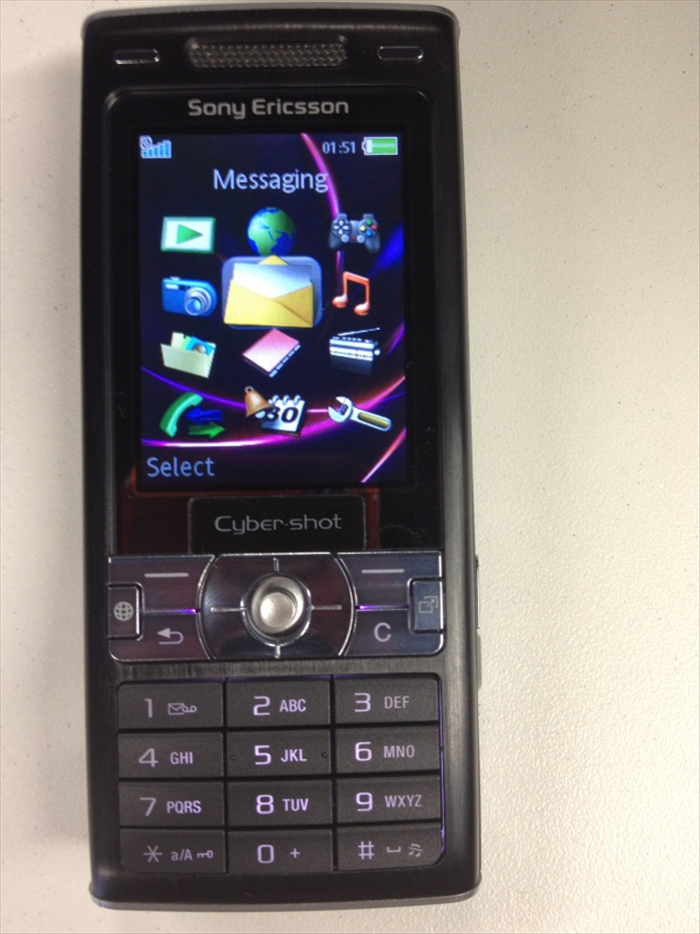 Enter "Menu" and then choose "Messaging".
 - 2
שלב 2
 Navigate to "Settings".
 -
- 3
שלב 3
 Enter "Picture message".
 - 4
שלב 4
 Choose "MMS Profile".
 - 5
שלב 5
 Choose "New profile".
 - 6
שלב 6
 Type the following settings: MMS profile name: Golan_mms Message server: http://mmsc.golantelecom.co.il Internet Profile: Golan_data