How to enable MMS messages on the Samsung Galaxy S 3 after changing cellular carrier to Golan Telecom
This guide will show you how to enable MMS messages on the Samsung Galaxy S 3 after changing cellular carriers to Golan Telecom.
מה תצטרך
- Golan Telecom
- MMS
- Samsung Galaxy S 3
שלבים
- 1
שלב 1
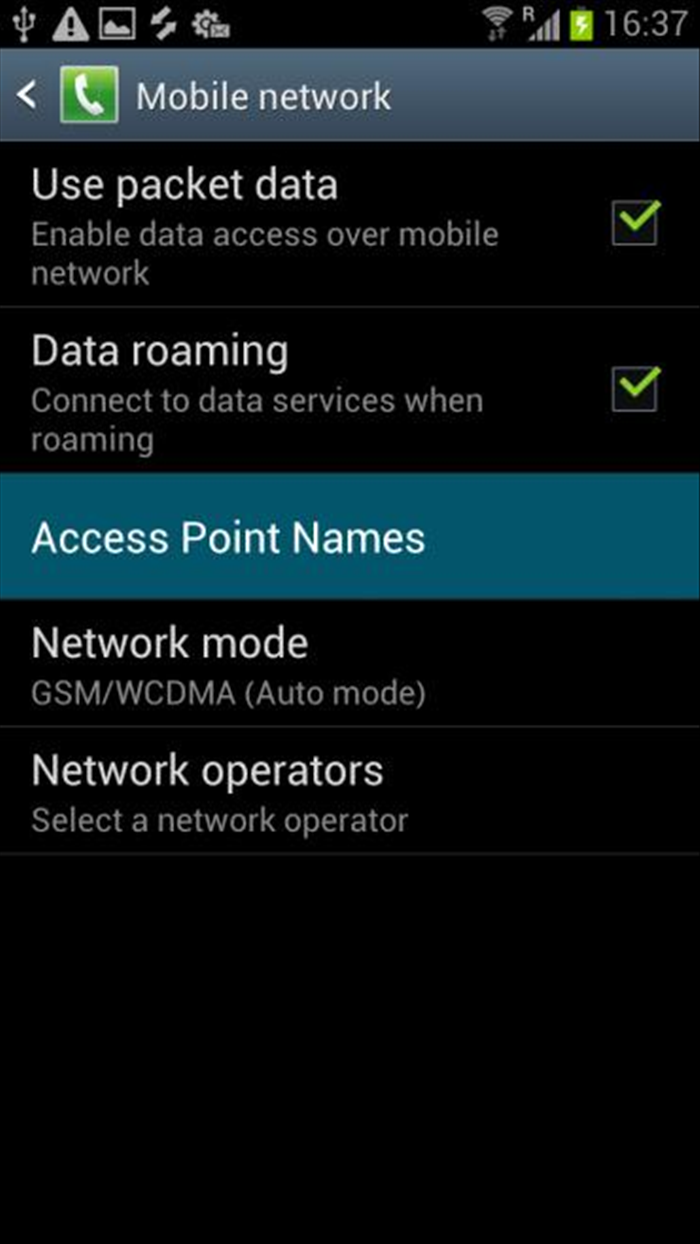
First of all, you’ll have to enable Data Roaming and verify that the Internet is enabled Go to Applications Menu, then to "Settings" -> "More settings" -> "Mobile Networks". Check "Data Roaming" Check “Use Packet Data"
- 2
שלב 2
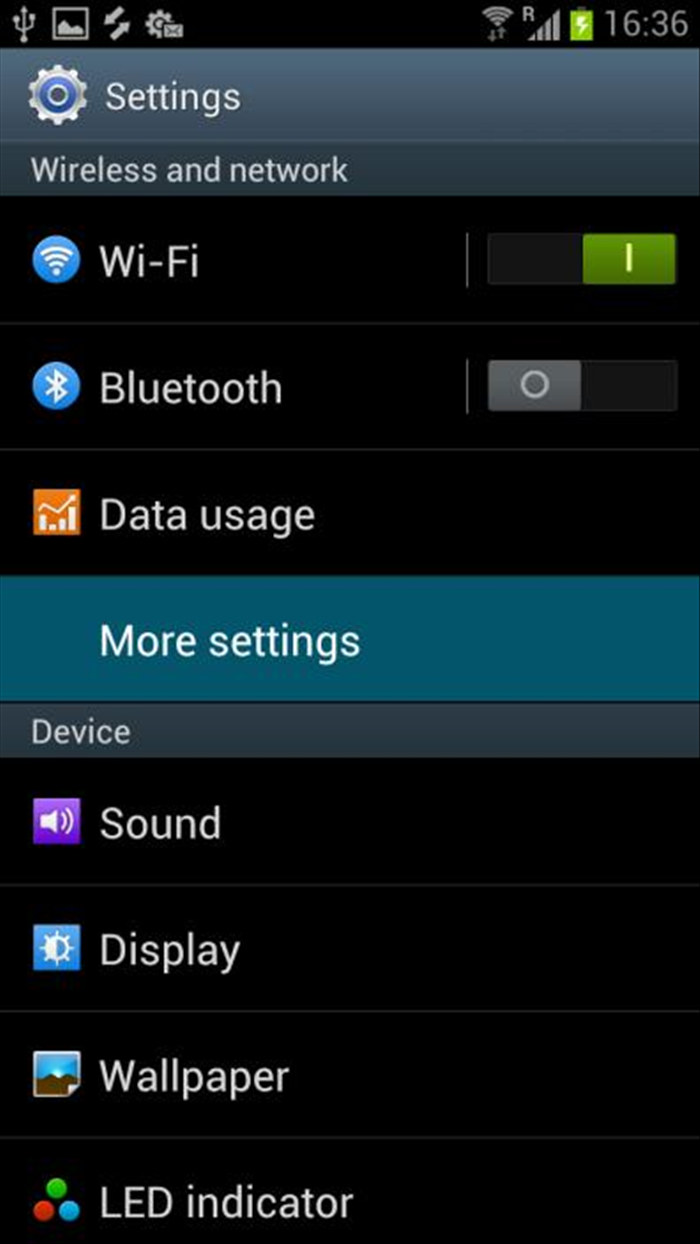
Now, let’s create our Access Point Names (APN). Enter Applications Menu. Choose "Settings" and choose "More Settings".
-
- 3
שלב 3
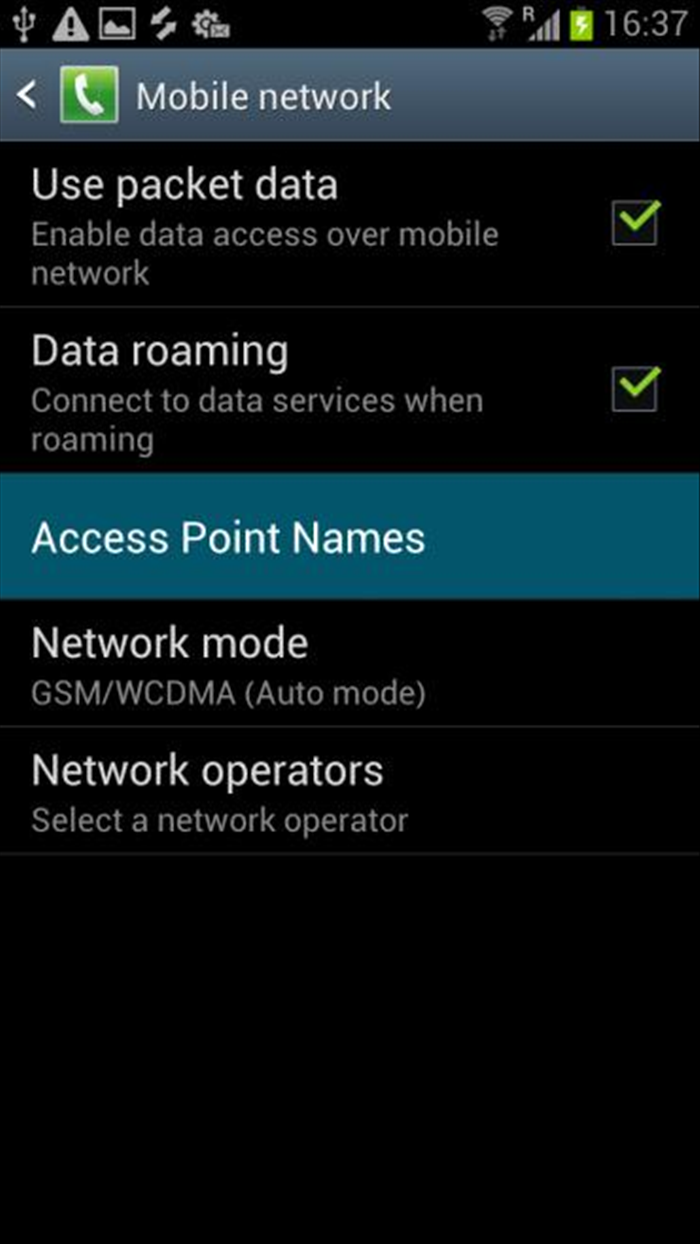
Go to Access Point Names.
- 4
שלב 4
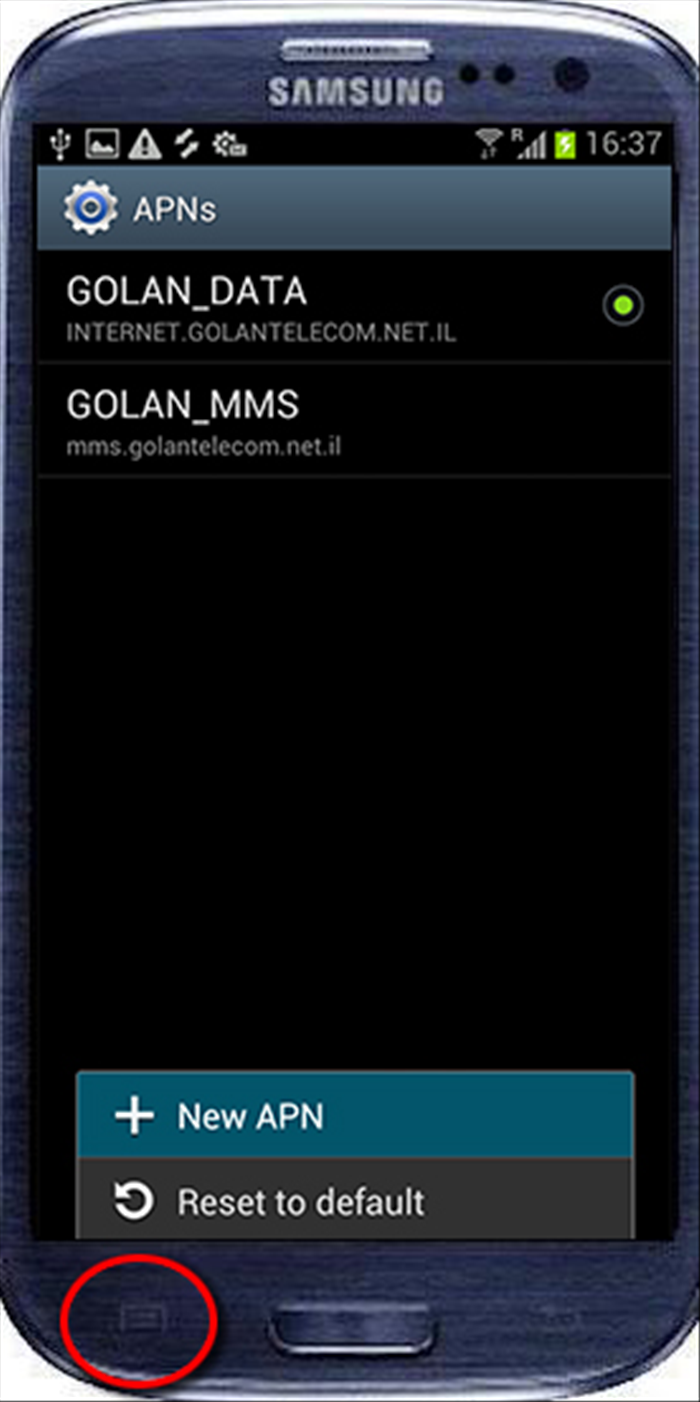
Press the "Options" button and choose “New APN”.
- 5
שלב 5
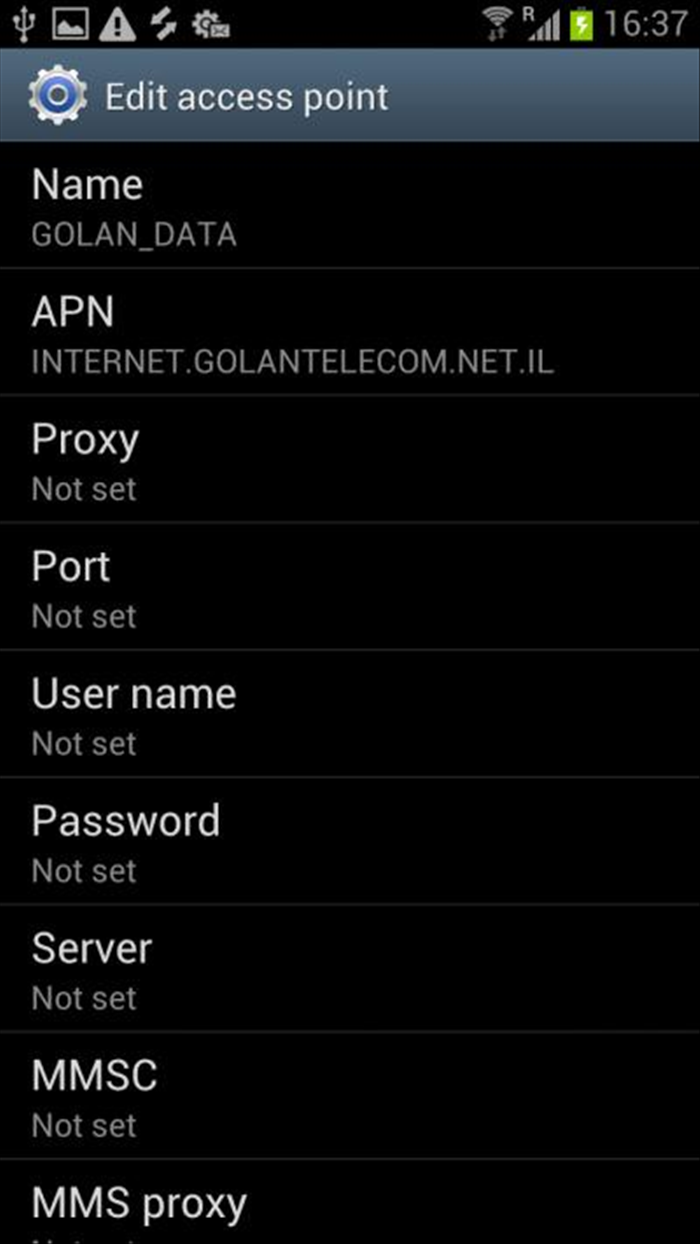
Fill the following:
Name: GOLAN_MMS
APN: mms.golantelecom.net.il
Proxy: Not Set
Port: Not Set
Username: Not Set
Password : Not Set
Server : Not Set
MMSC : http://mmsc.golantelecom.net.il
MMS Proxy : 10.224.228.81
MMS Port: 80
MCC : 425
MNC : 08
Authentication Type: Choose None
APN Type: mms