How to enable MMS messages on the SAMSUNG C5130i after joining Golan Telecom
This guide will show you How to enable MMS messages on the SAMSUNG C5130i after joining Golan Telecom.
קל 905 צפיות
מה תצטרך
- APN
- Internet
- Samsung c5130
- mms
שלבים
- 1
שלב 1
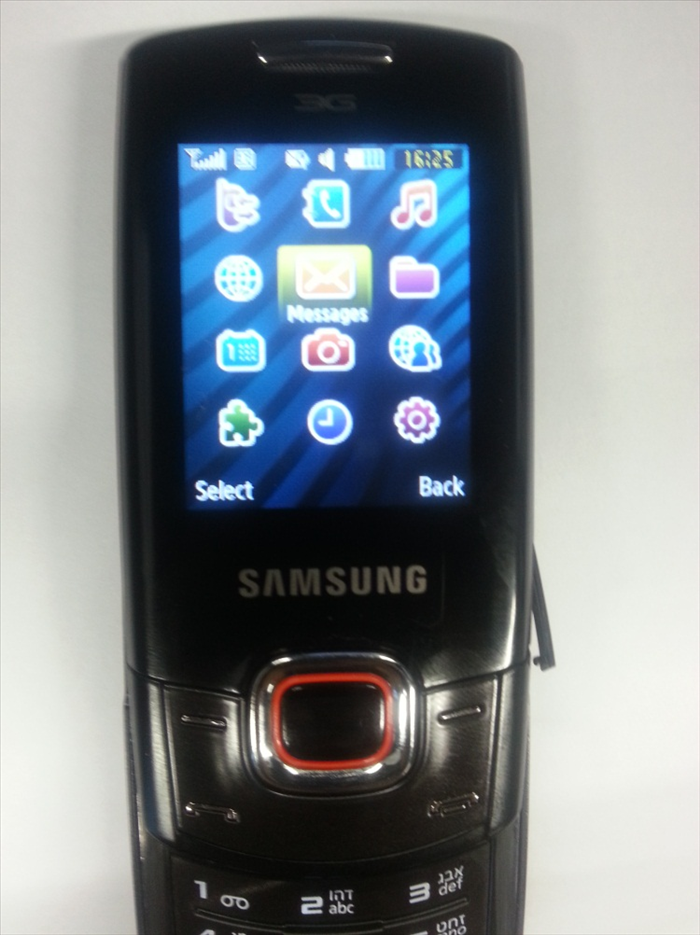 Enter the menu and then choose "Messages".
 - 2
שלב 2
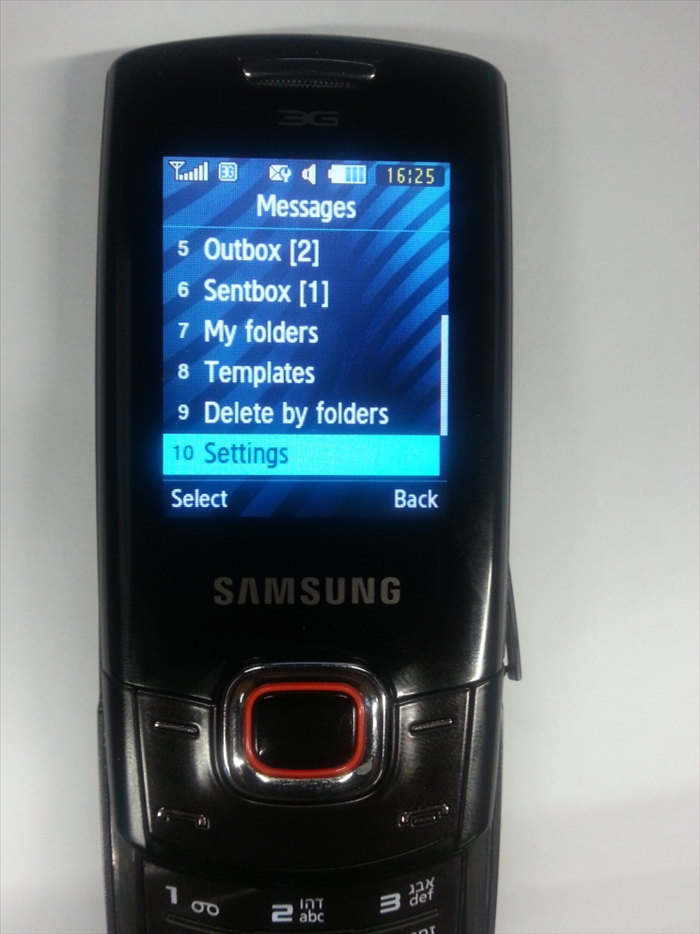 Choose "Settings ".
 -
- 3
שלב 3
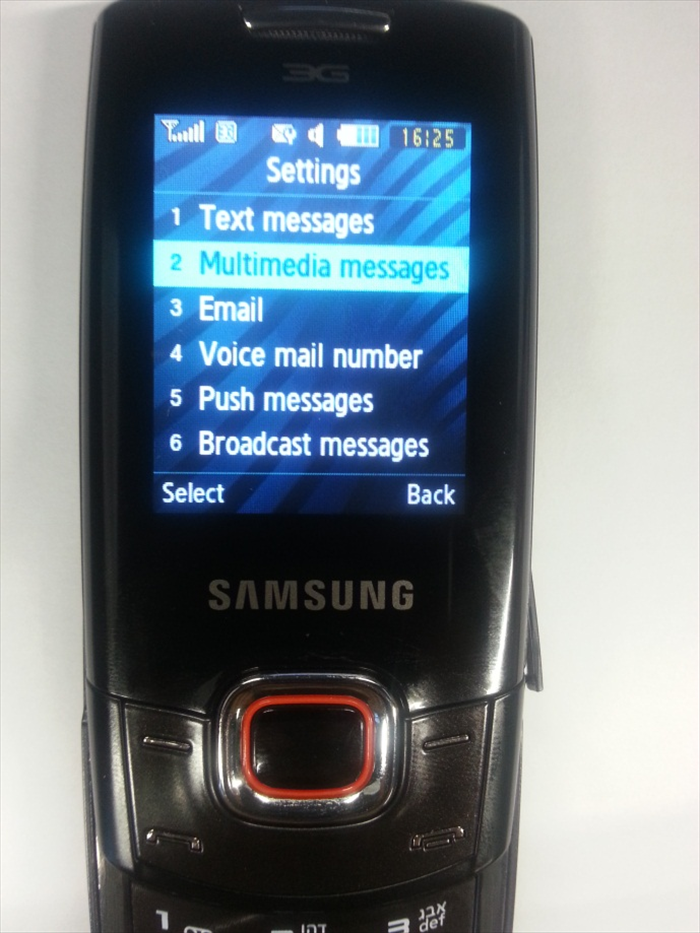 Choose "Multimedia messages".
 - 4
שלב 4
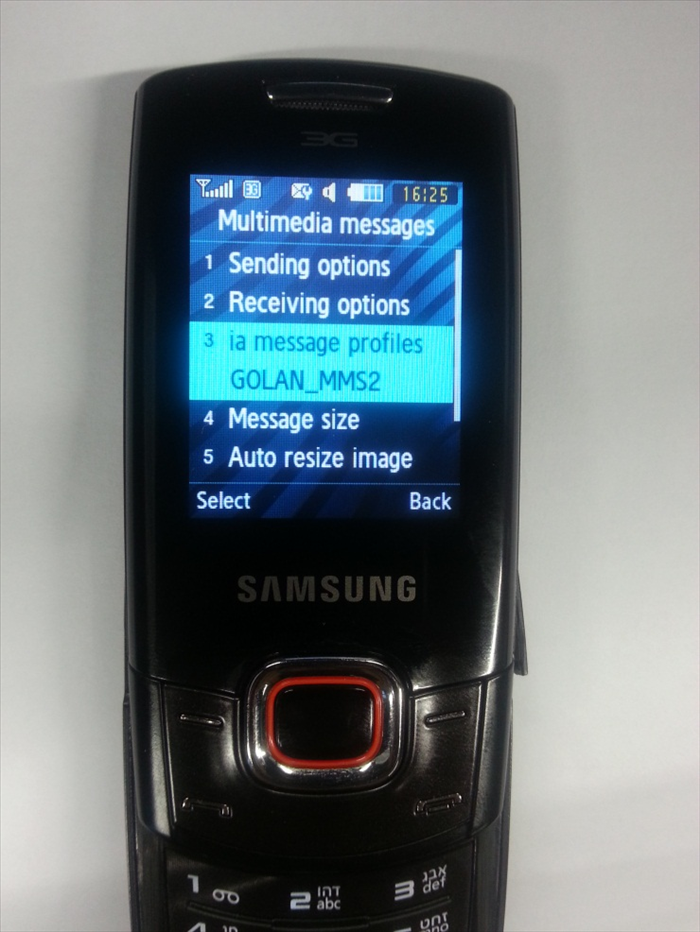 Press on "Multimedia message profiles".
 - 5
שלב 5
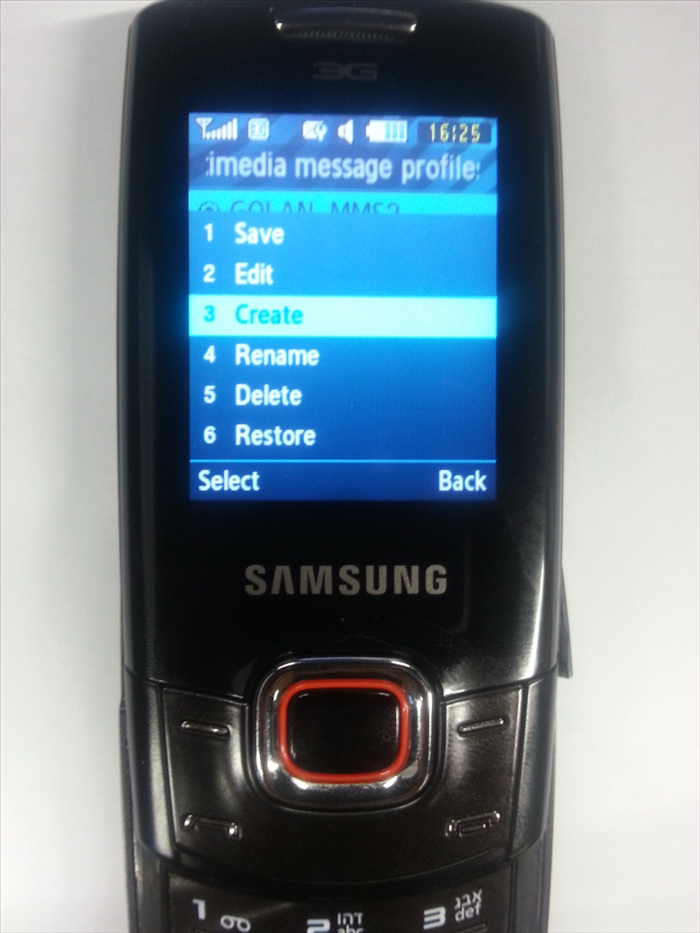 Tap on "options" on the left bottom And choose "Create".
 - 6
שלב 6
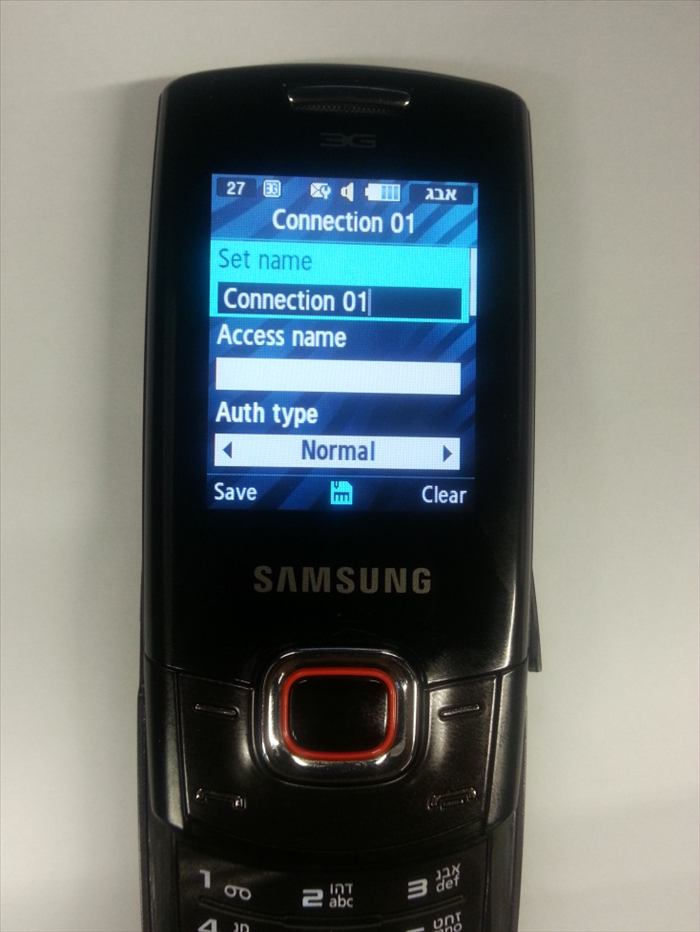 Tap the following settings: Set name: GOLAN_MMS Access name: mms.golantelecom.net.il Auth type: None
 - 7
שלב 7
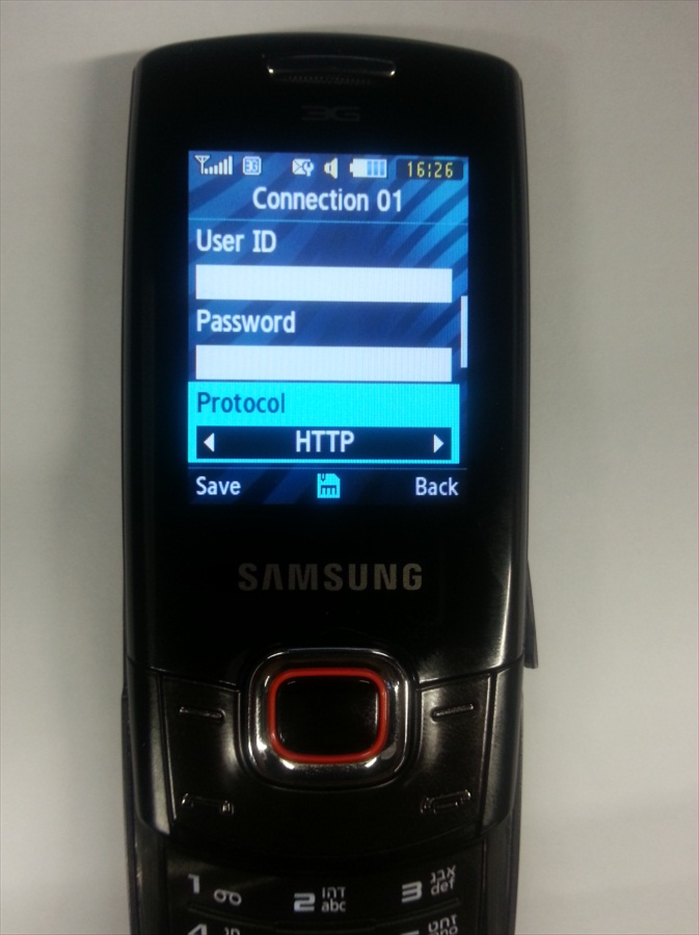 User ID: none Password: none Protocol: HTTP
 - 8
שלב 8
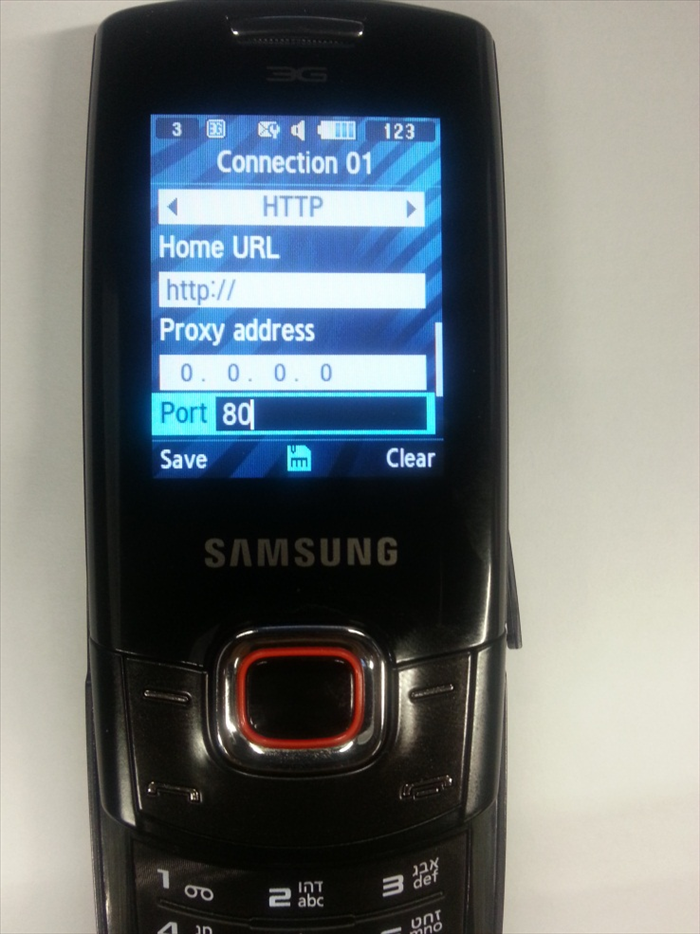 Home URL: http://mmsc.golantelecom.co.il Proxy address: 10.224.228.81 Port: 80
 - 9
שלב 9
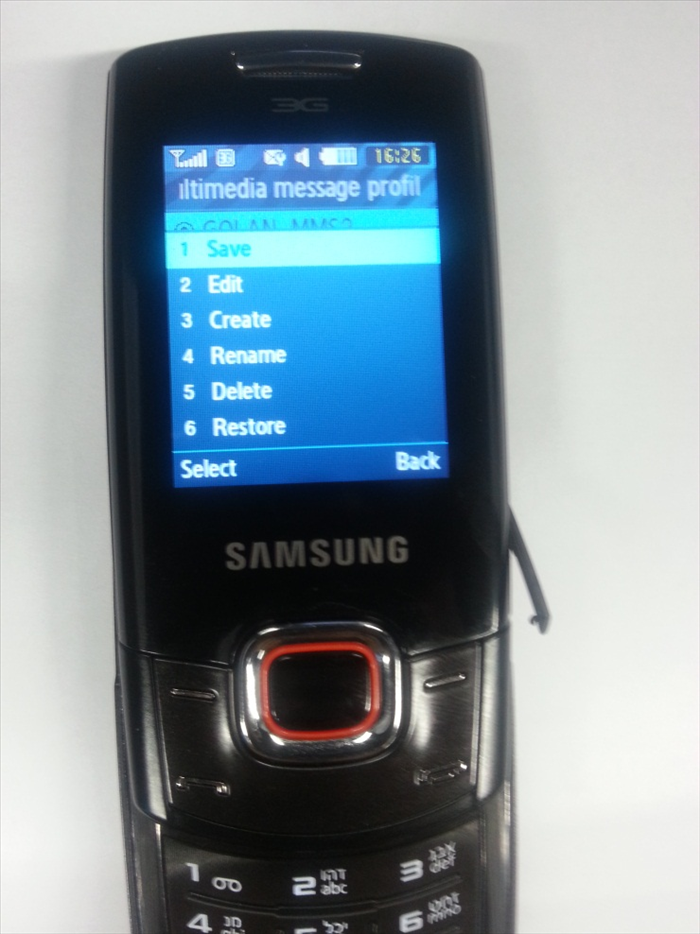 Press on "Options" in the left bottom and "save".