How to enable MMS messages on the Nokia C2-01after changing cellular carrier to Golan Telecom
This guide will show you how to enable MMS Messages on the Nokia C2-01 after changing cellular carrier to Golan Telecom.
קל 1,385 צפיות
מה תצטרך
- Golan
- Internet
- Golan Telcom
שלבים
- 1
שלב 1
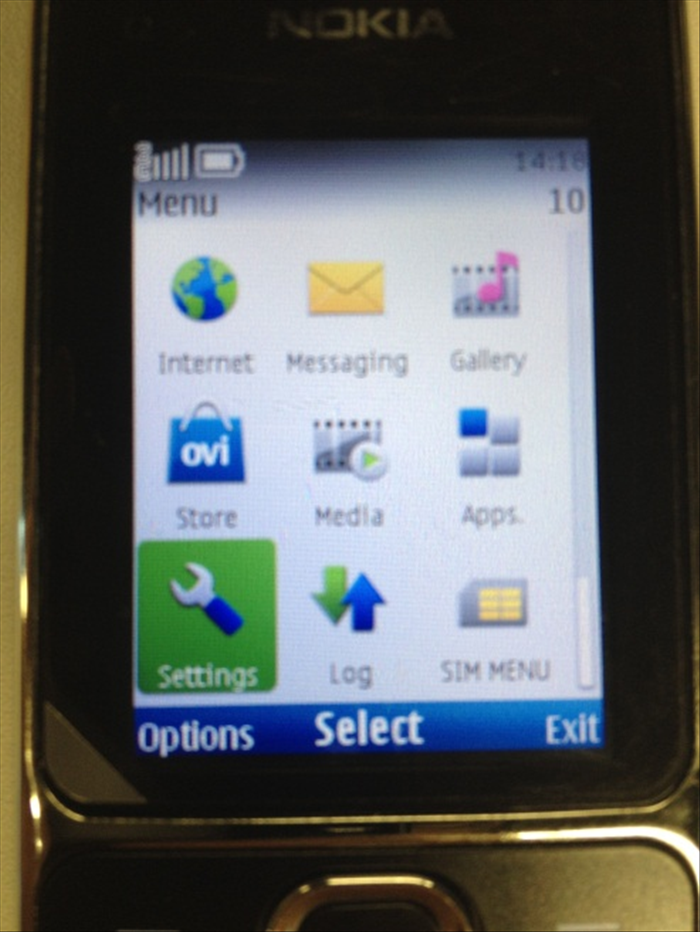 Go to "Menu", then choose "Settings".
 - 2
שלב 2
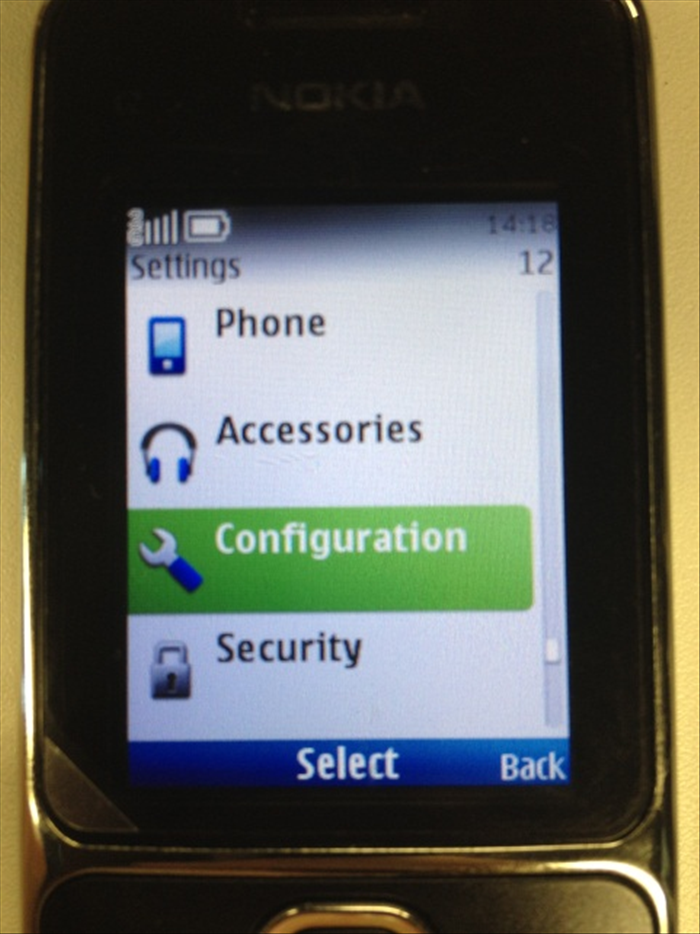 Then choose Configuration
 -
- 3
שלב 3
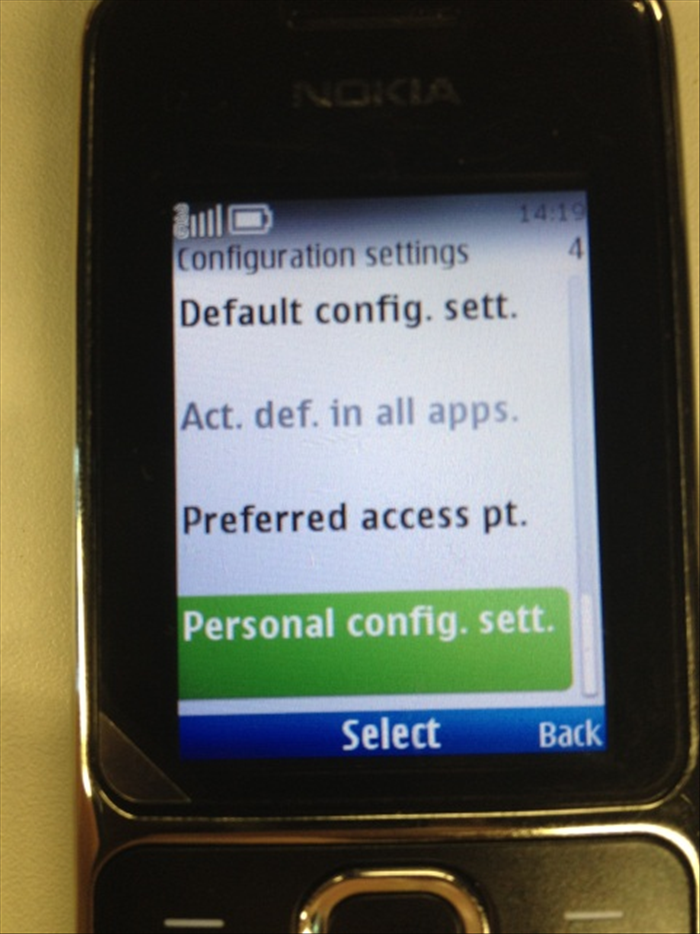 Choose "Personal config. sett."
 - 4
שלב 4
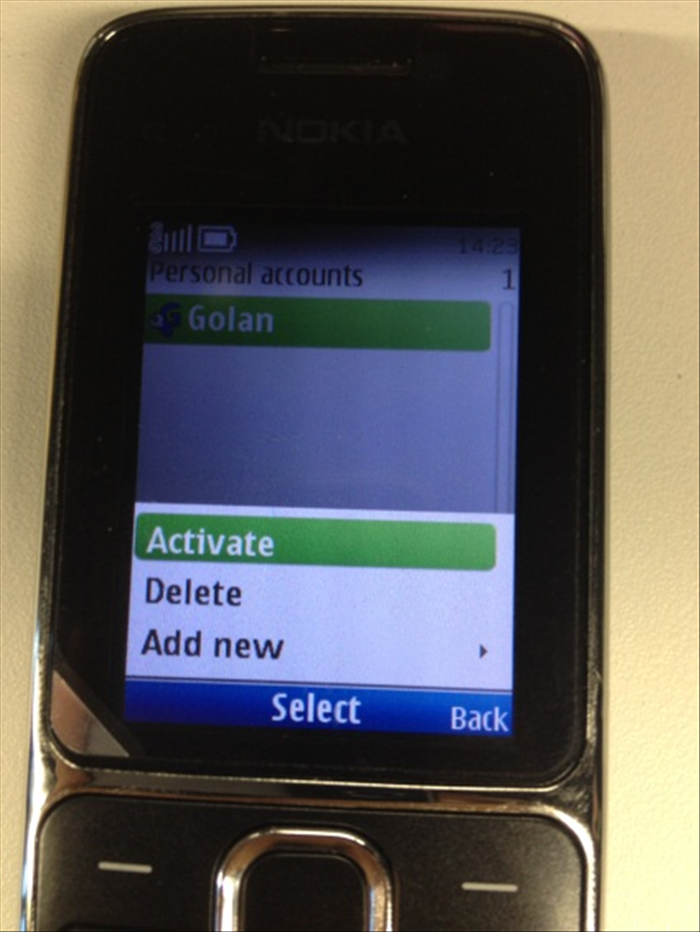 Press Options, then “Add New”
 - 5
שלב 5
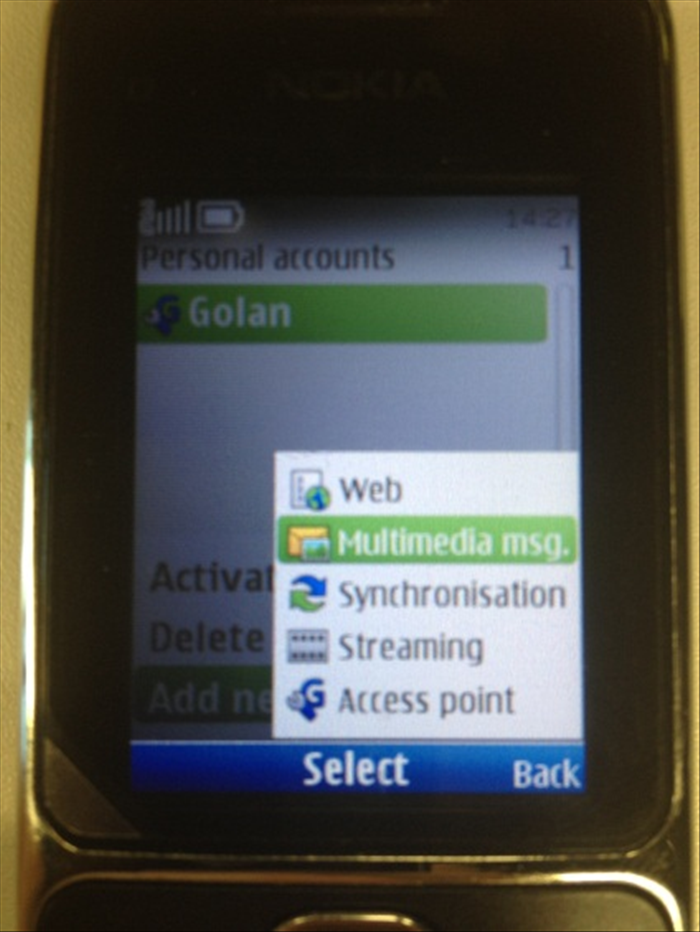 Choose “Multimedia msg.”
 - 6
שלב 6
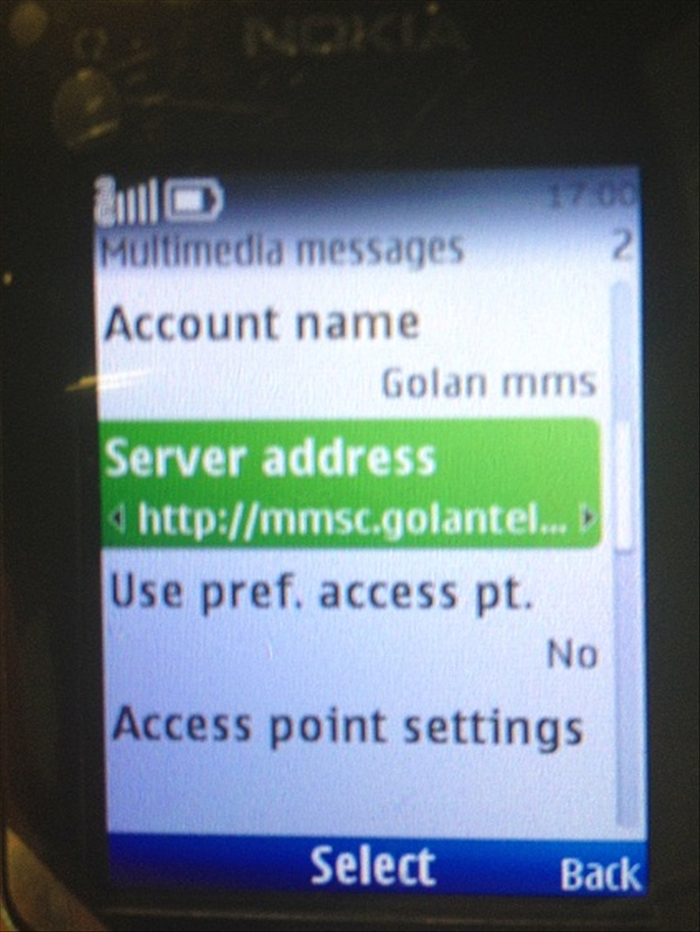 Now, in Account name, type "Golan mms” Server Adress: http://mmsc.golantelecom.co.il Use pref. access pt. : No
 - 7
שלב 7
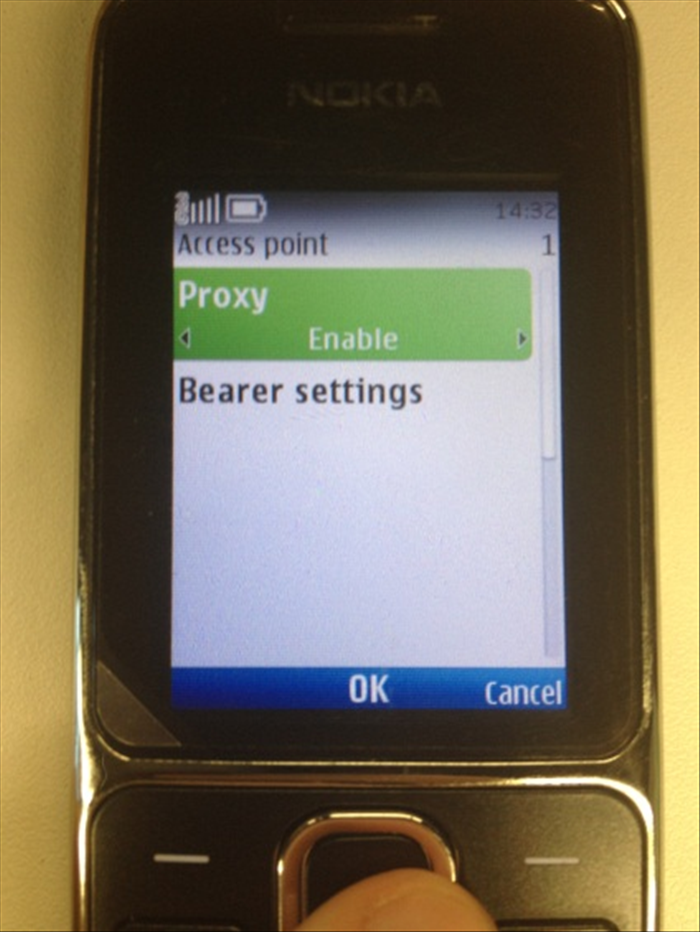 Enter “Access point settings” Choose “Proxy” and select “enable”
 - 8
שלב 8
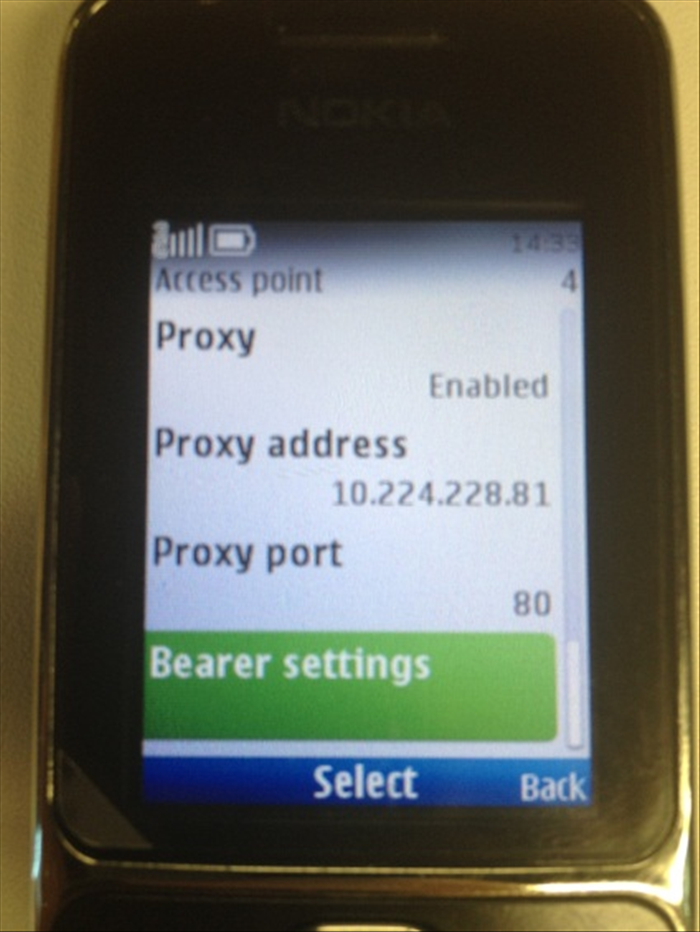 Now, enter the following settings: Proxy address: 10.224.228.81 Proxy port: 80 Then go to Bearer Settings
 - 9
שלב 9
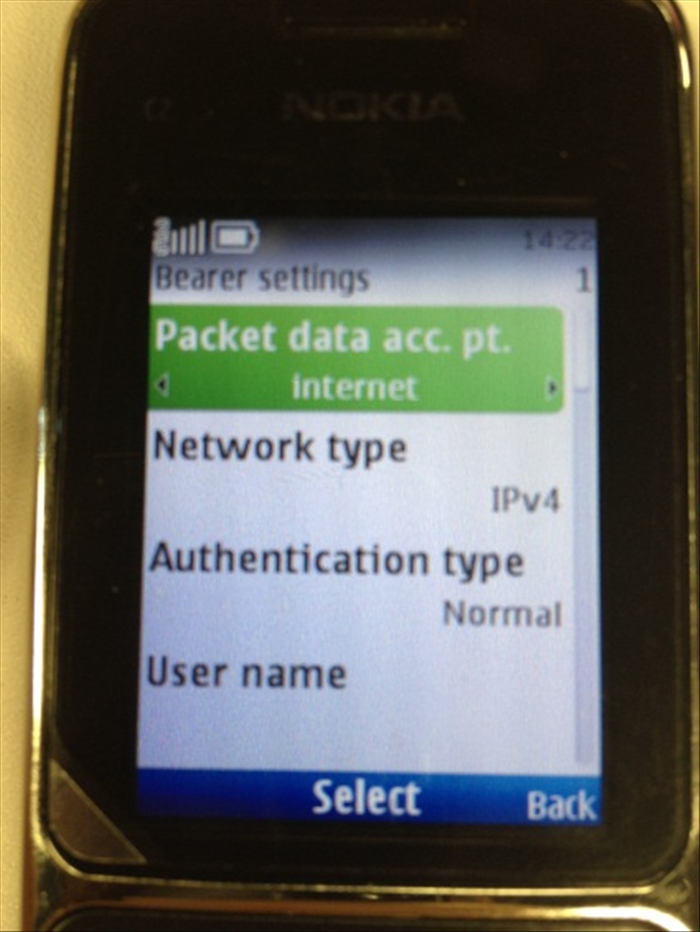 Enter the following settings: Packet data acc. pt. : mms.golantelecom.net.il Network Type: IPv4 Authentication Type: Normal Then go Back 4 times.
 - 10
שלב 10
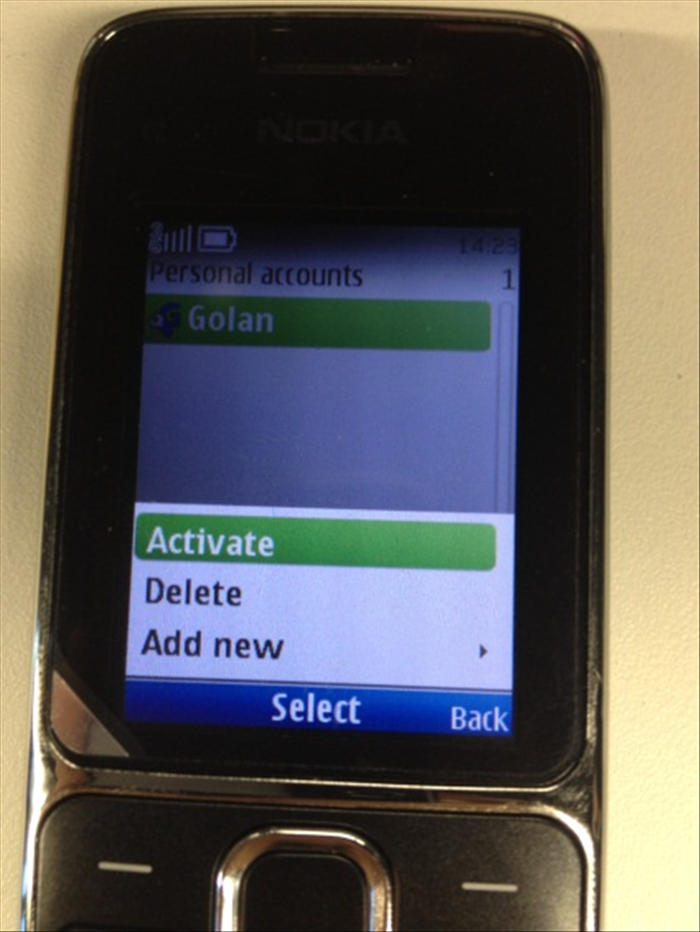 Select Golan mms and Press “Options” Then, “Activate”