How to enable MMS Messages on the for Nokia XpressMusic 5800 after changing your cellular carrier to Golan Telecom
In this guide you will find an explanation on how to enable MMS messages on the Nokia XpressMusic 5800 after changing your cellular carrier to Golan Telecom
קל 462 צפיות
מה תצטרך
- APN
- MMS
- NOKIA
- 5800
- XPERIA
שלבים
- 1
שלב 1
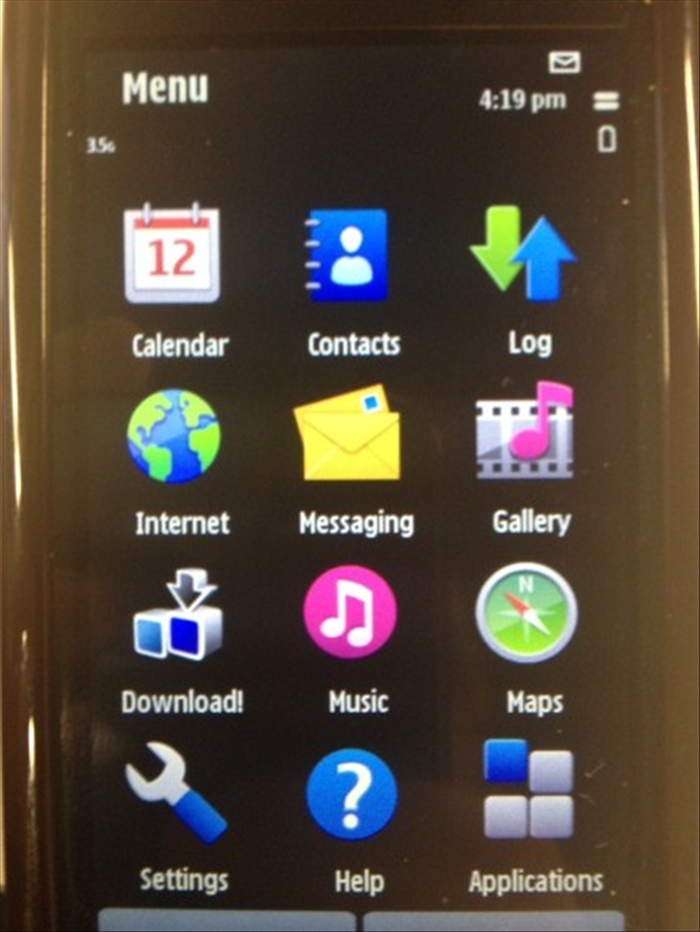 Open the Menu and choose "Settings".
 - 2
שלב 2
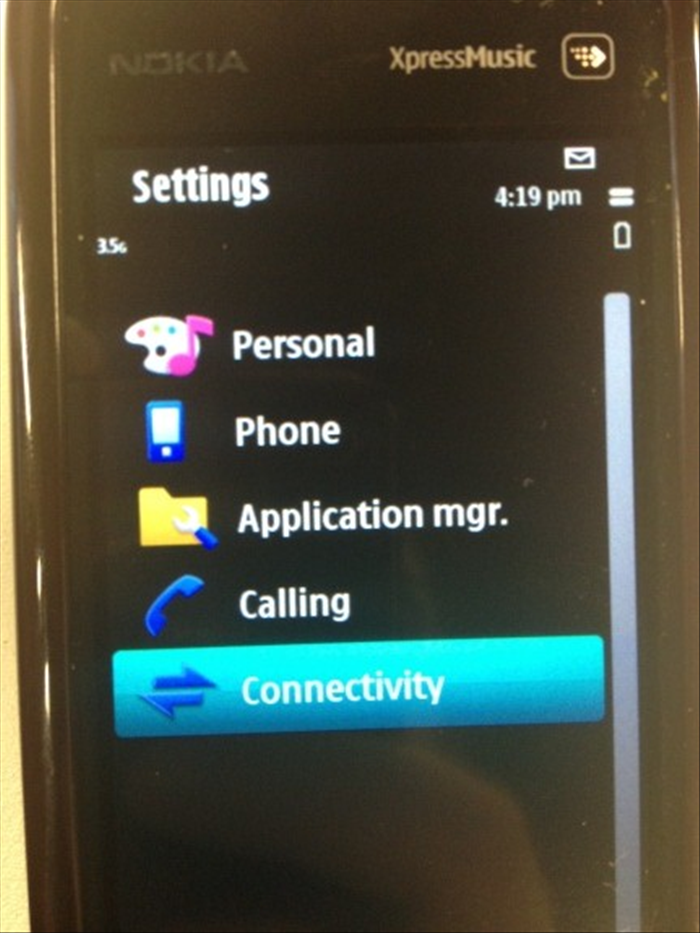 Choose "Connectivity".
 -
- 3
שלב 3
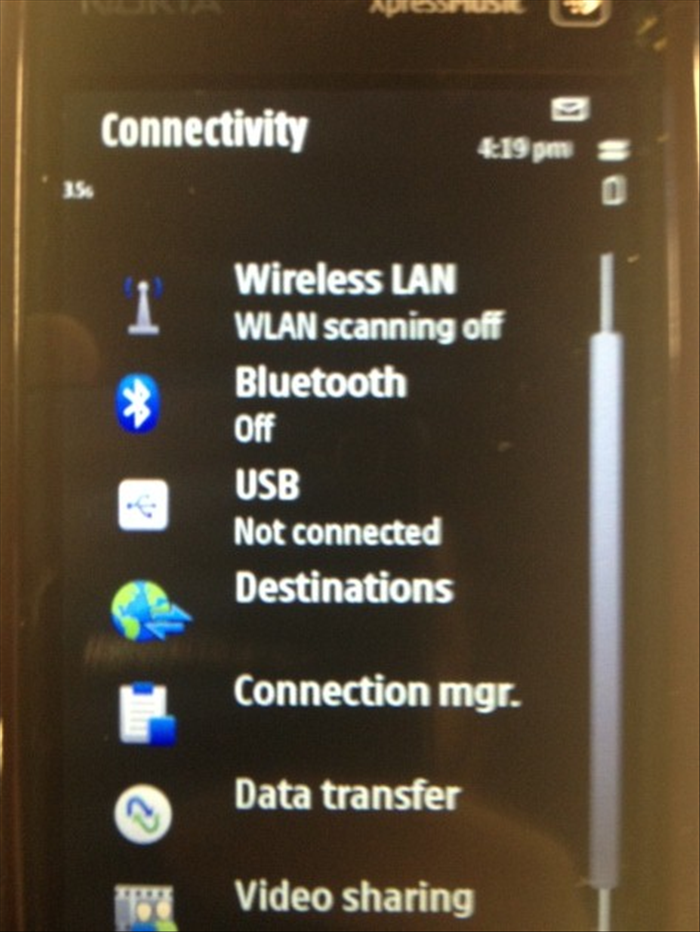 Choose "Destinations".
 - 4
שלב 4
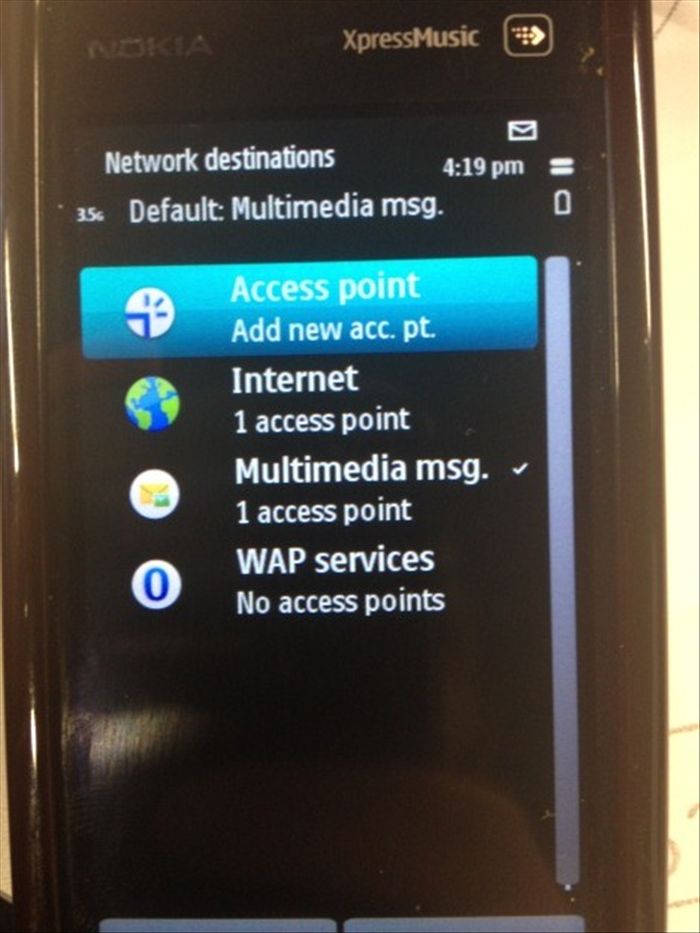 Choose "Multimedia msg."
 - 5
שלב 5
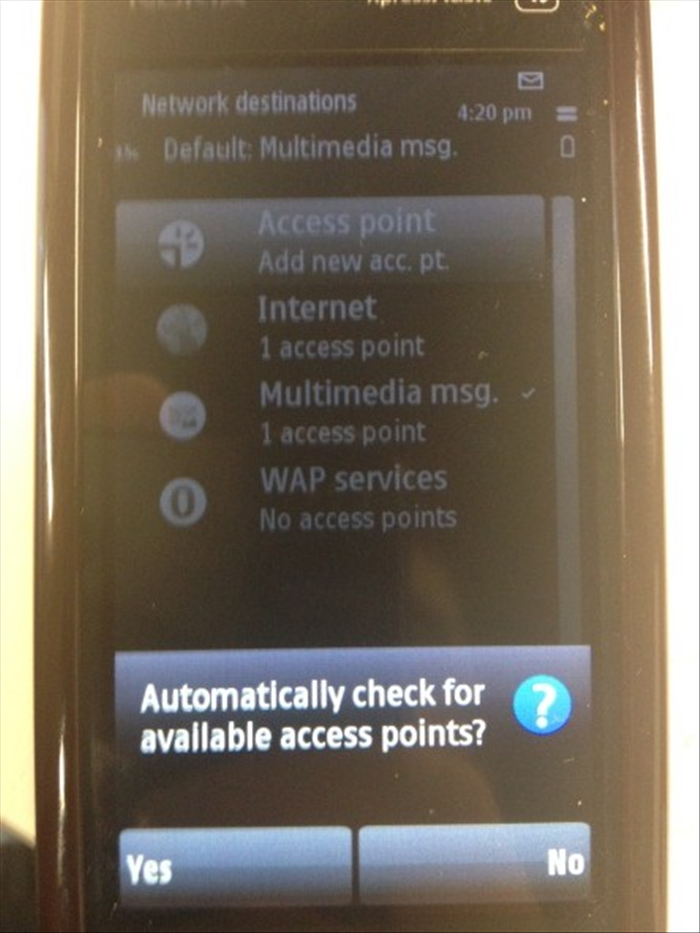 Answer "No" to the question: "Automatically check for available access points?"
 - 6
שלב 6
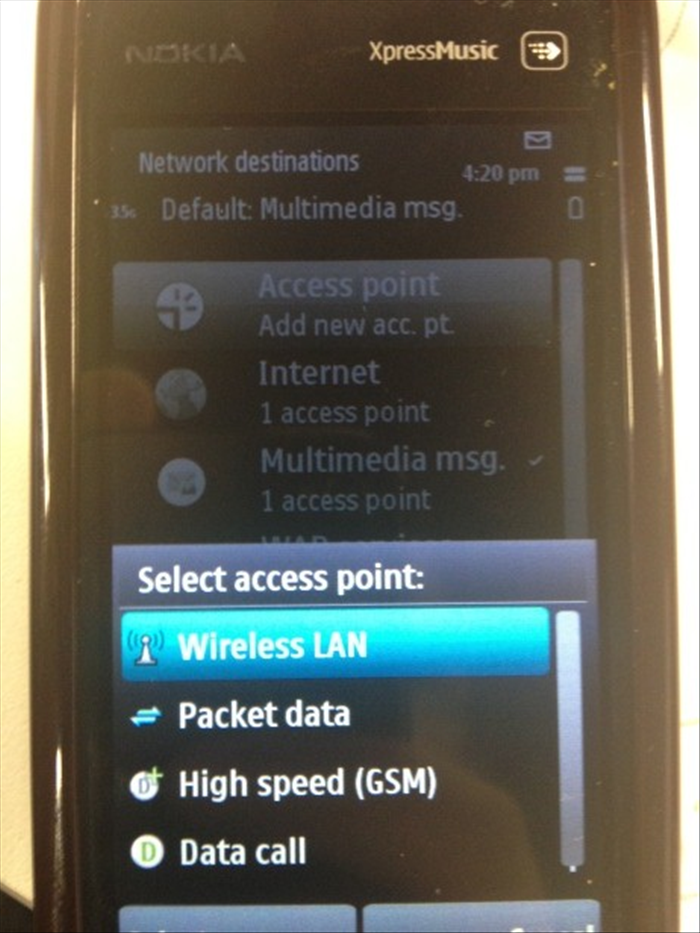 Now, choose "Packet Data".
 - 7
שלב 7
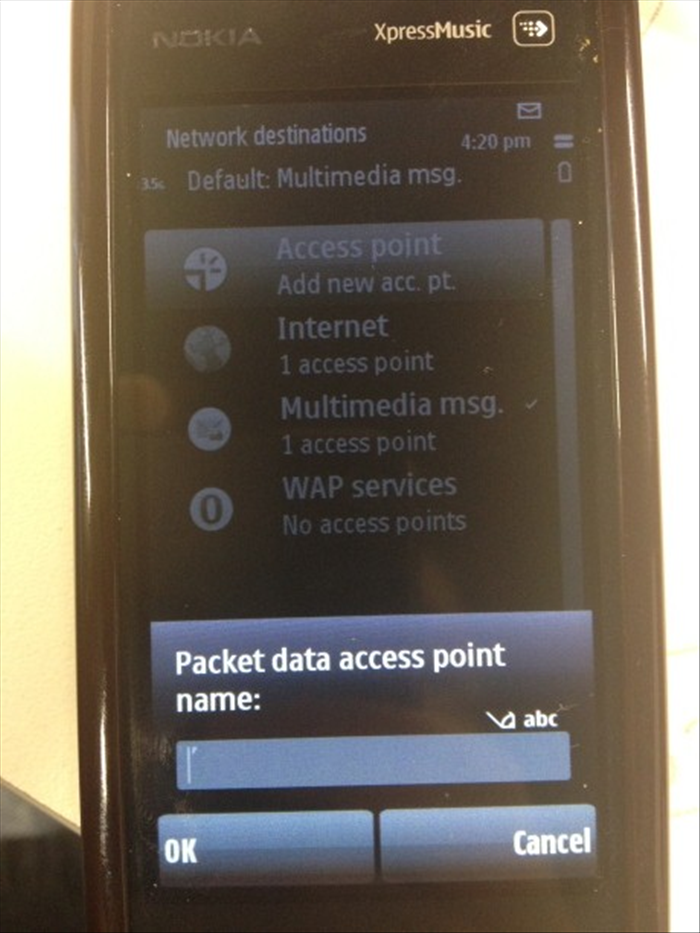 Type: “Golan_MMS”.
 - 8
שלב 8
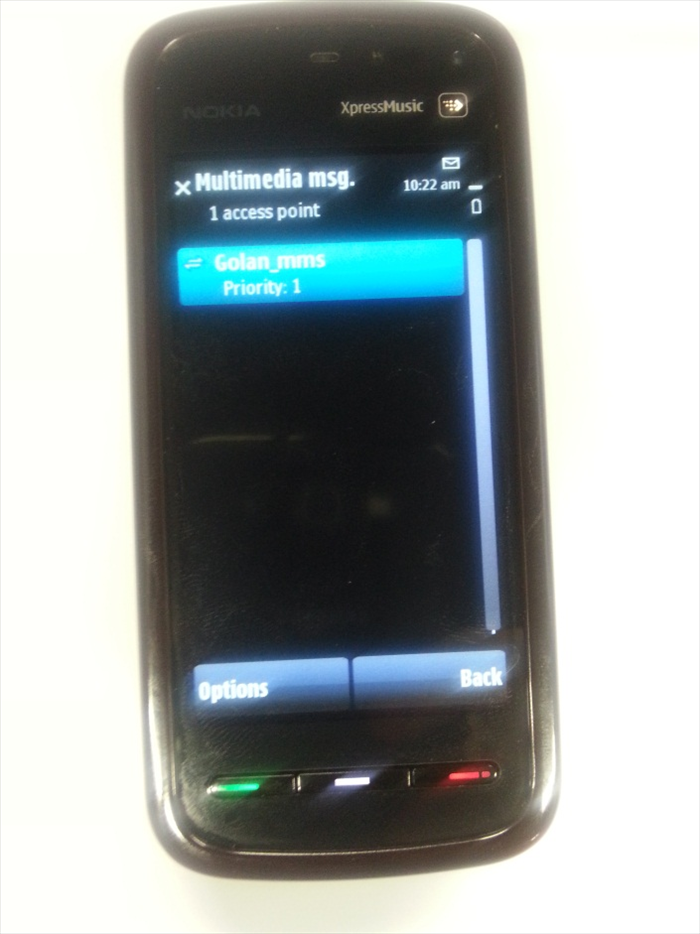 Select the Access Point you have just created: GOLAN_MMS
 - 9
שלב 9
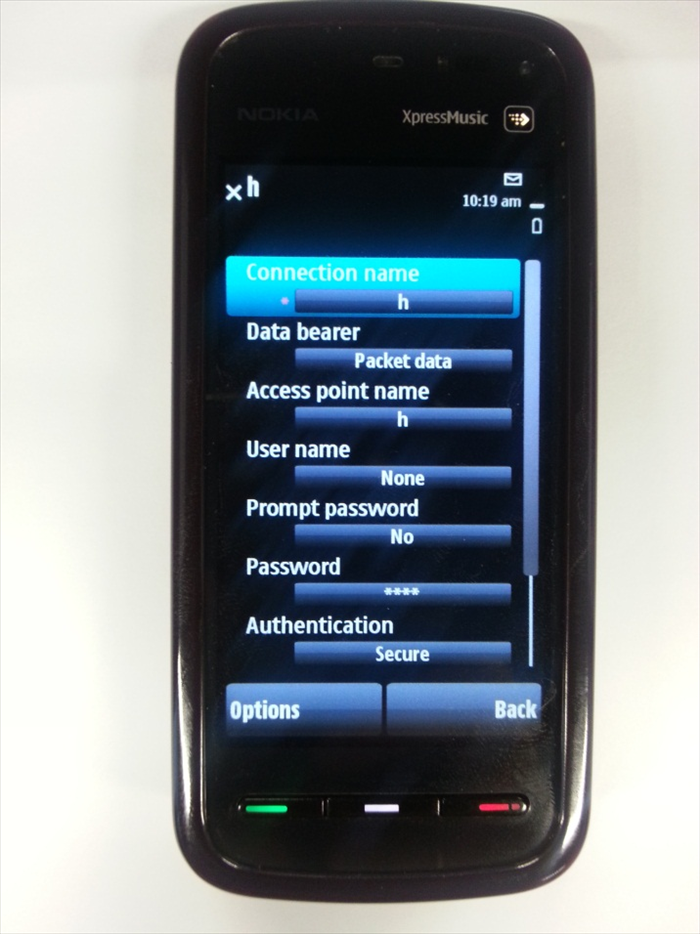 Make sure this is the configuration: Connection Name: GOLAN_MMS Access Point Name: mms.golantelecom.net.il User name: None Prompt password: None Password: None Authentication: None
 - 10
שלב 10
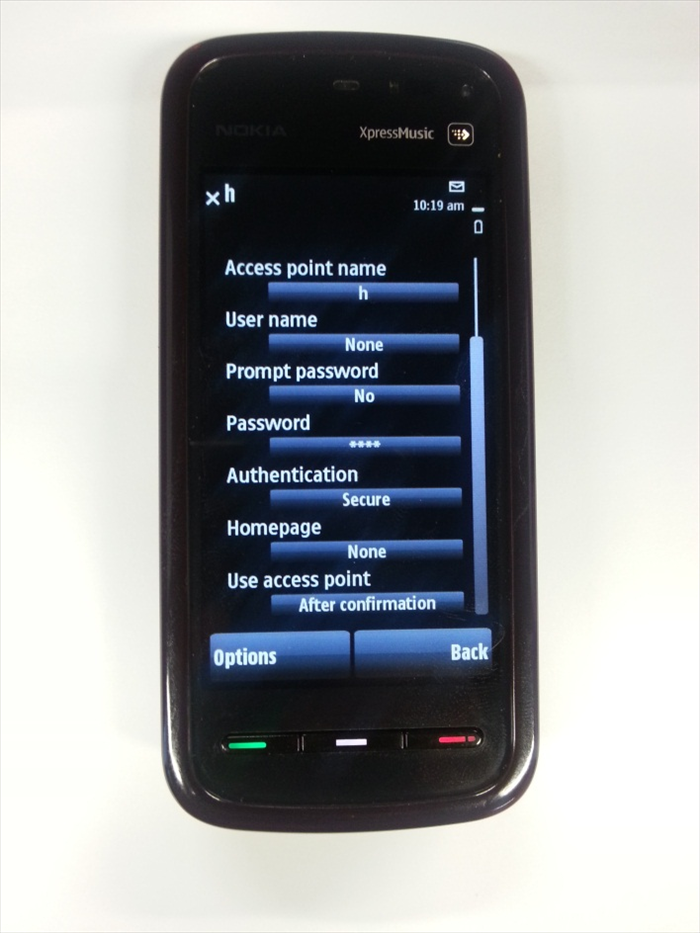 Home Page : http://mmsc.golantelecom.co.il Use access point: After confirmation
 - 11
שלב 11
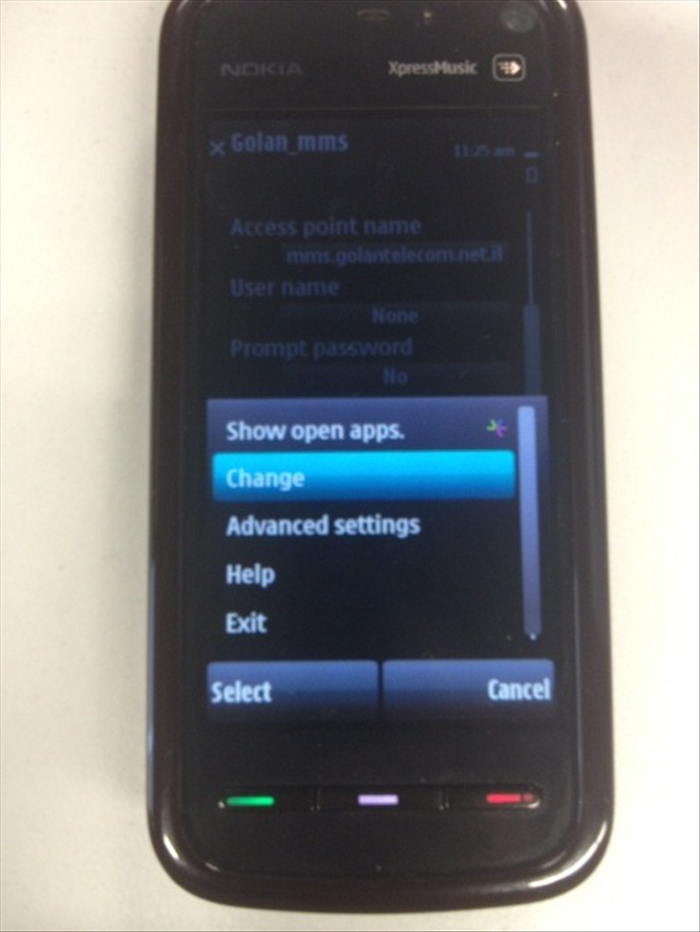 Now, press on "Options", choose "Advanced Settings".
 - 12
שלב 12
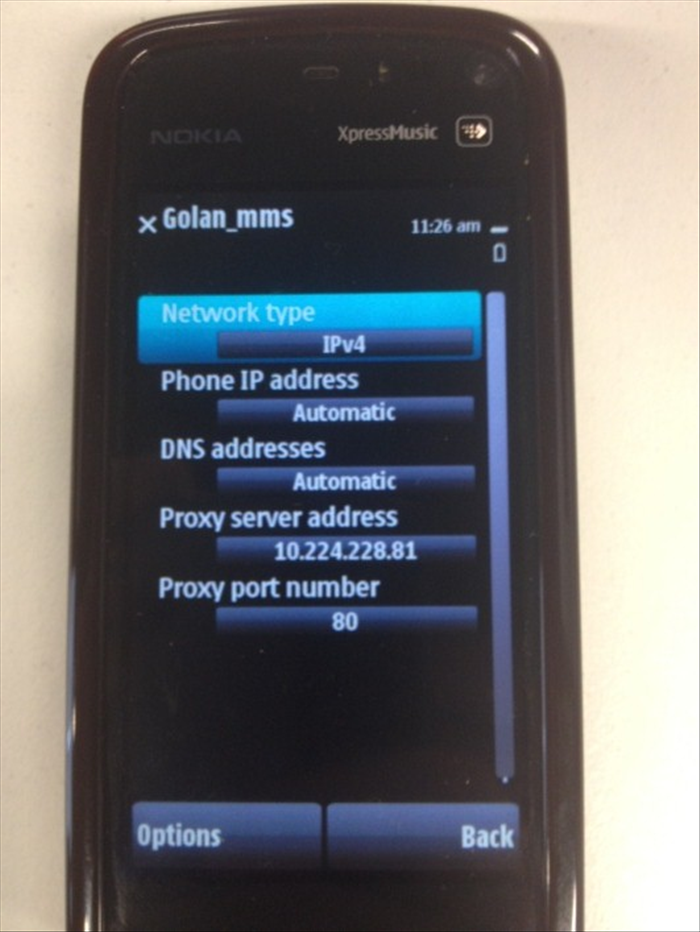 Change these settings: Network Type: IPv4 Phone IP address: Automatic DNS address: Automatic Proxy server address: 10.224.228.81 Proxy port number: 80 You can now go back to the main menu.