How to enable internet on the Sony Ericsson W995 after changing cellular carrier to Golan Telecom
This guide will show you how to enable internet on the Sony Ericsson W995 after changing cellular carrier to Golan Telecom
קל 1,383 צפיות
מה תצטרך
- W995
- Ericsson
- Golan telecom
שלבים
- 1
שלב 1
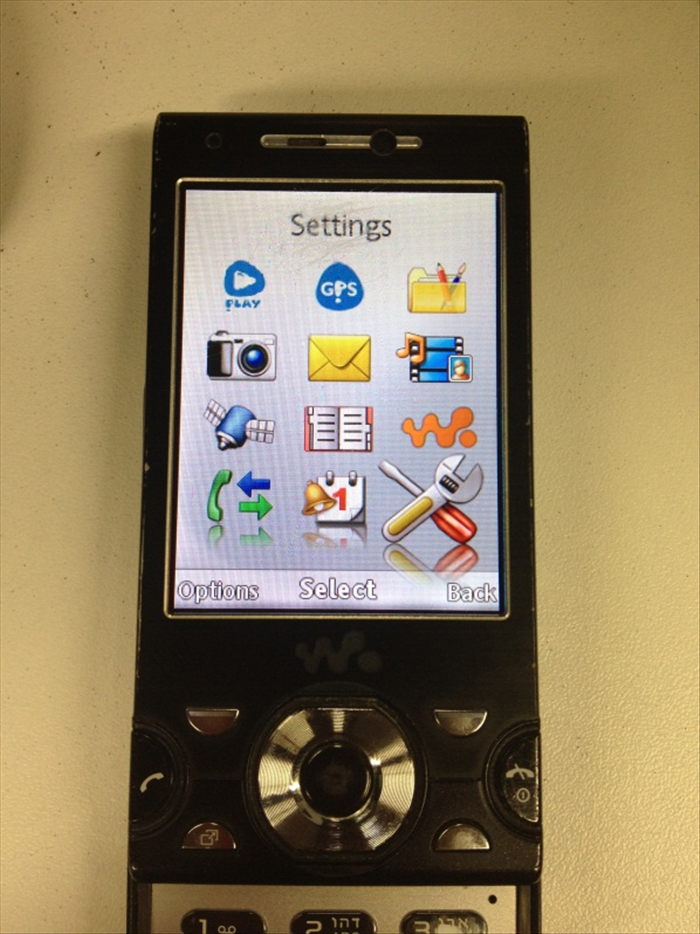 Enter the "Menu" and choose "Settings".
 - 2
שלב 2
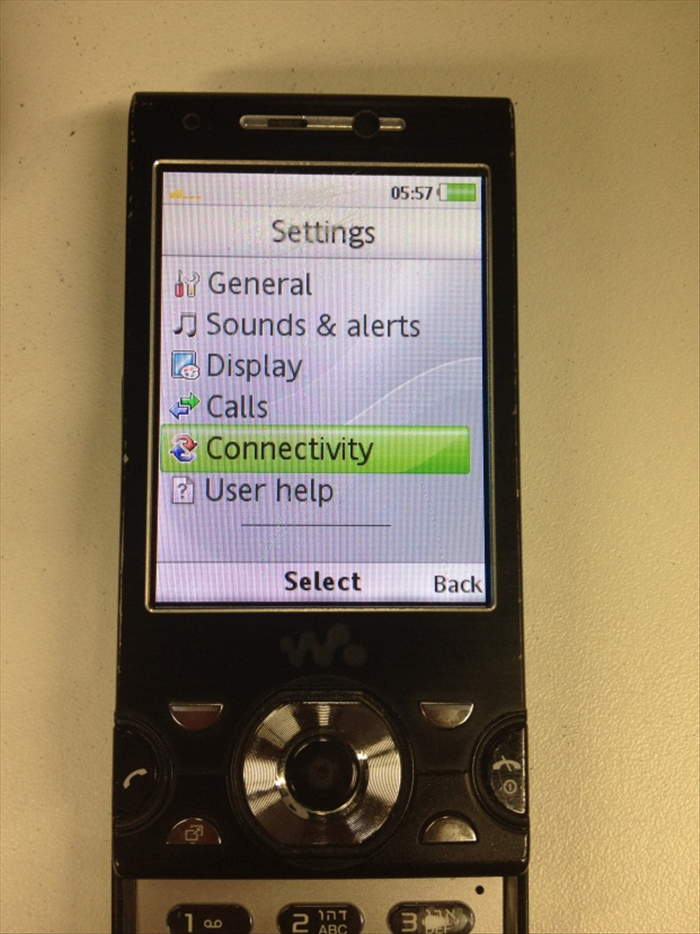 Choose "Connectivity"
 -
- 3
שלב 3
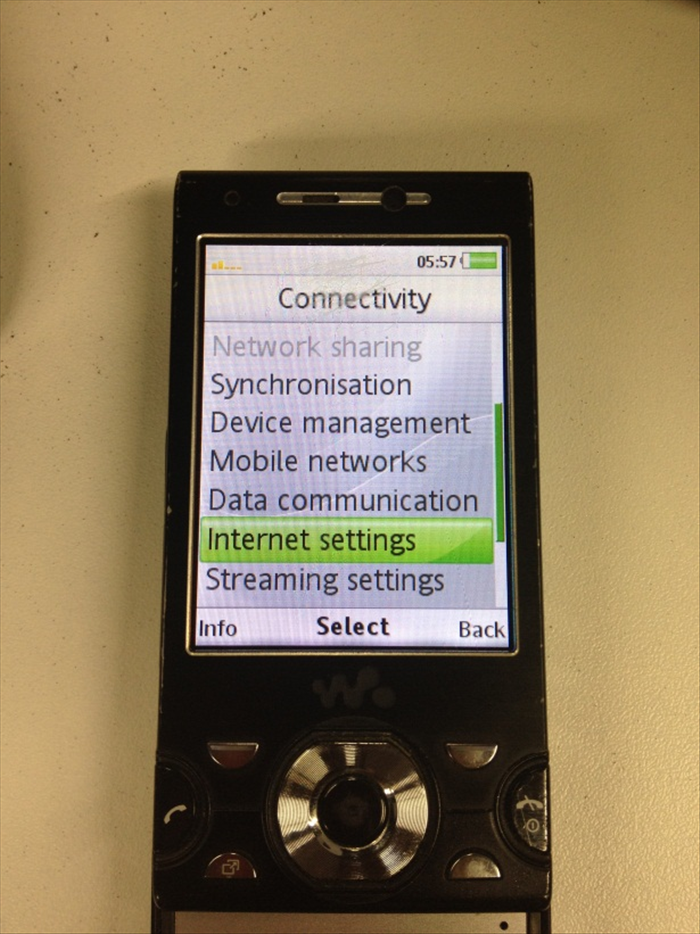 Choose "Internet settings".
 - 4
שלב 4
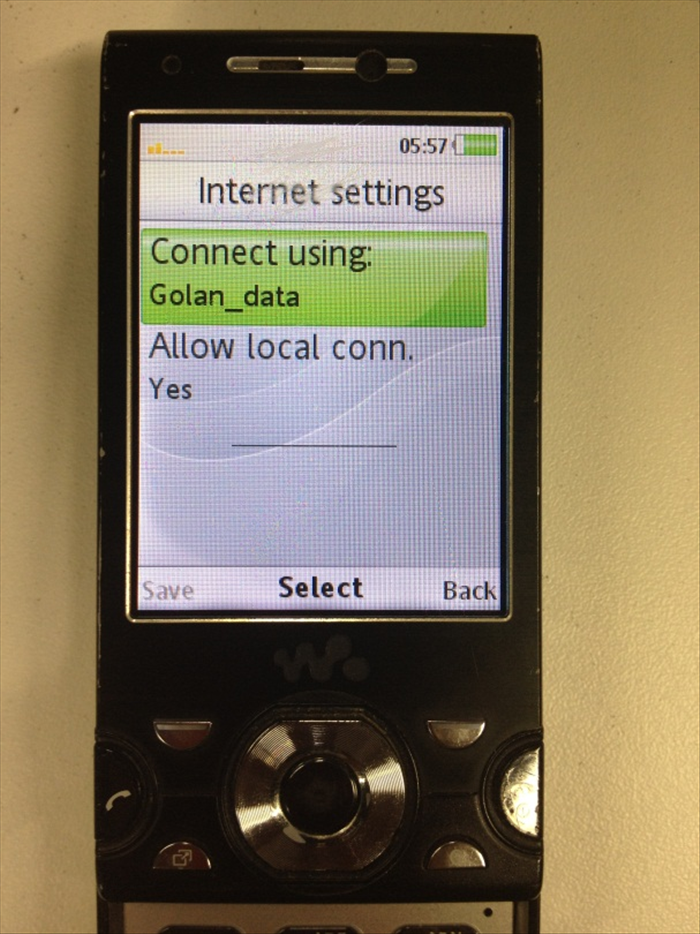 Make sure that "Allow local conn." is set to "yes" and then choose "Connect using".
 - 5
שלב 5
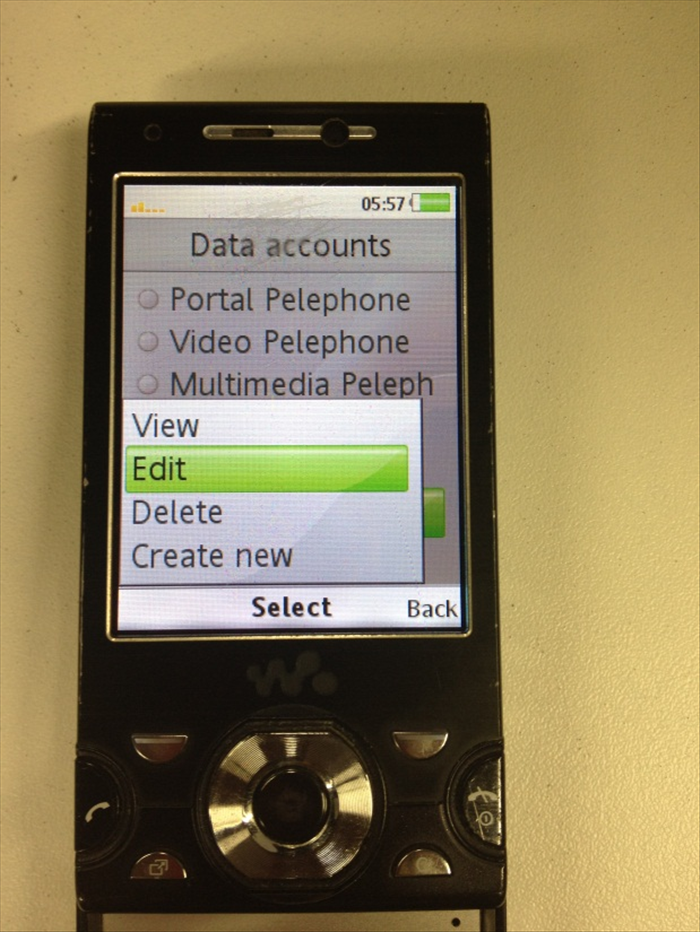 Press "Options" on the bottom left side and choose "Edit".
 - 6
שלב 6
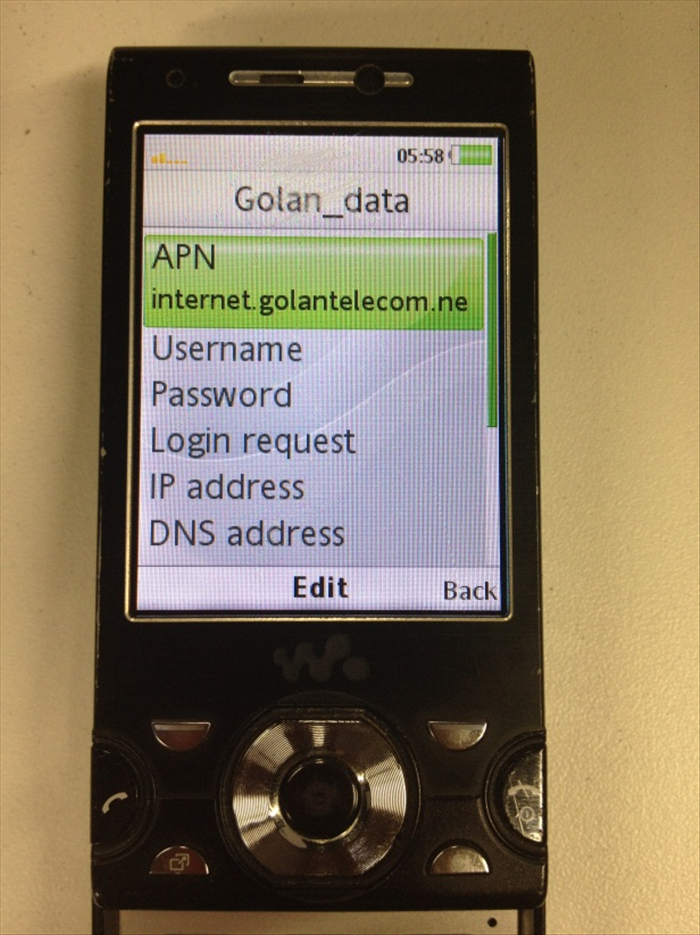 Configure these settings: APN: internet.golantelecom.net.il Username: None Password: None Login request: None IP address: None DNS address: None
 - 7
שלב 7
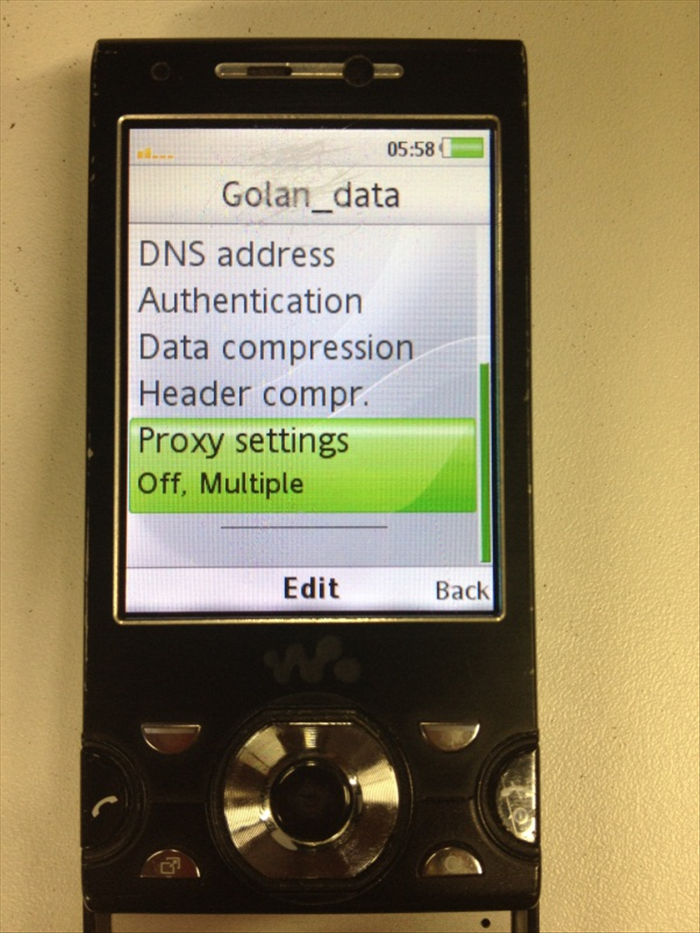 Authentication: None Data compression: None Header compr. : None Proxy settings: None
 - 8
שלב 8
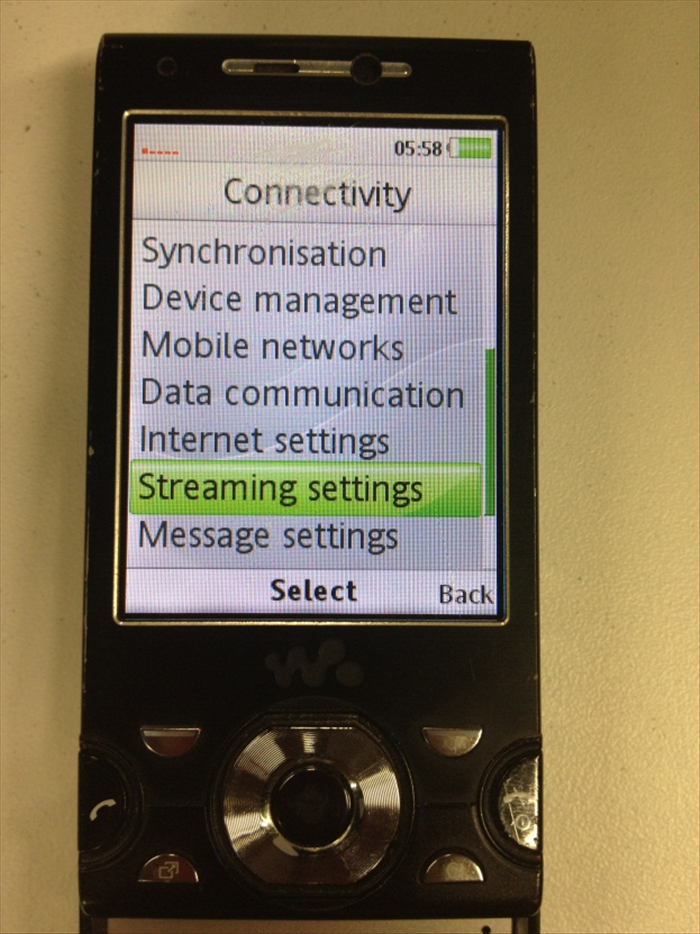 Go back to "Connectivity" and choose "Streaming settings".
 - 9
שלב 9
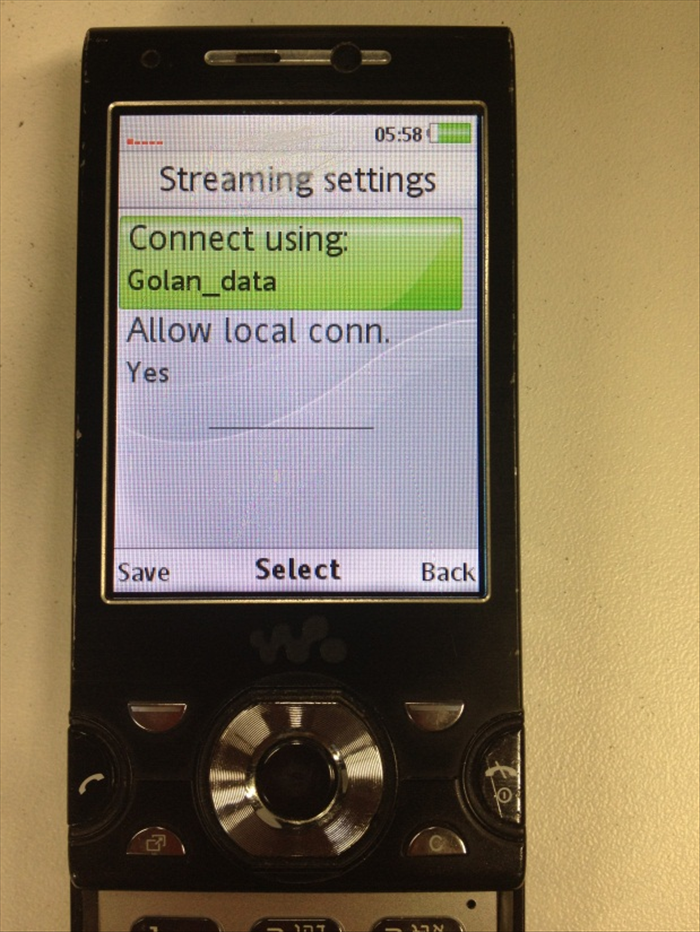 Make sure that: "Allow local conn." is set to "Yes" and then choose "Connect using": Golan_data
 - 10
שלב 10
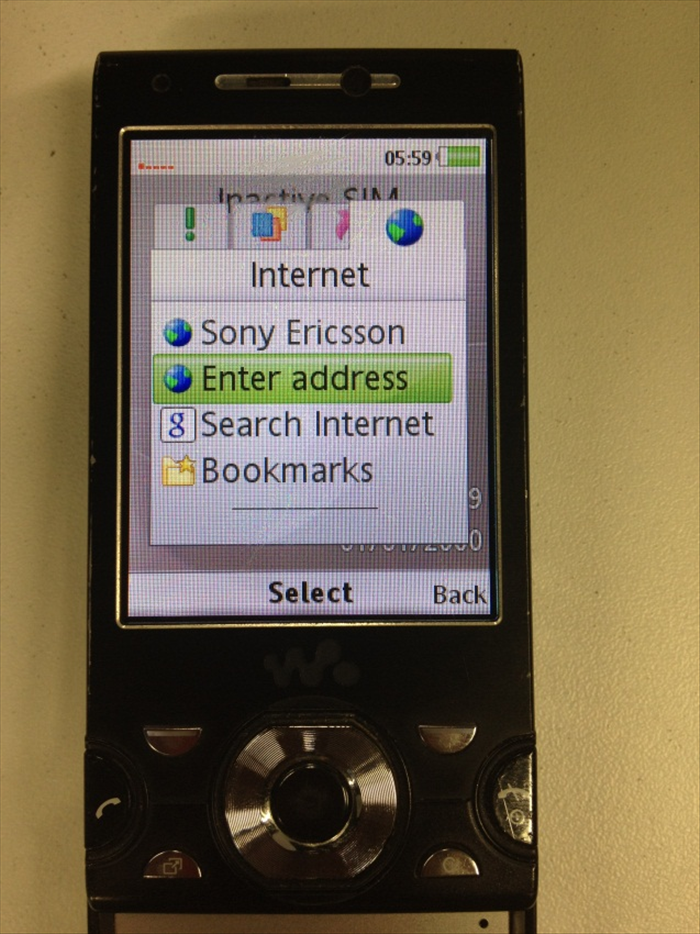 For surfing the internet, You Should press "My shortcuts" button (Under the left options Bottom) and then Navigate to the Right and Choose "Enter address".
 - 11
שלב 11
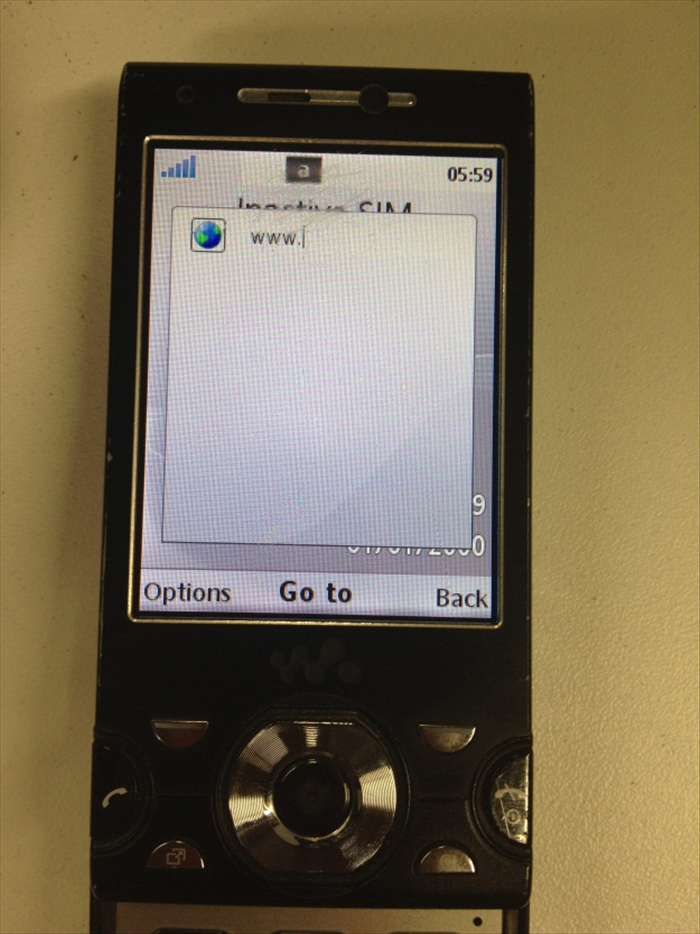 Enter the URL Address you wish to visit. Enjoy.