How to enable internet on Nokia C7 after changing cellular carrier to Golan Telecom
This guide will show you how to enable the internet on your Nokia C7 after changing your cellular carrier to Golan Telecom
קל 2,011 צפיות
שלבים
- 1
שלב 1
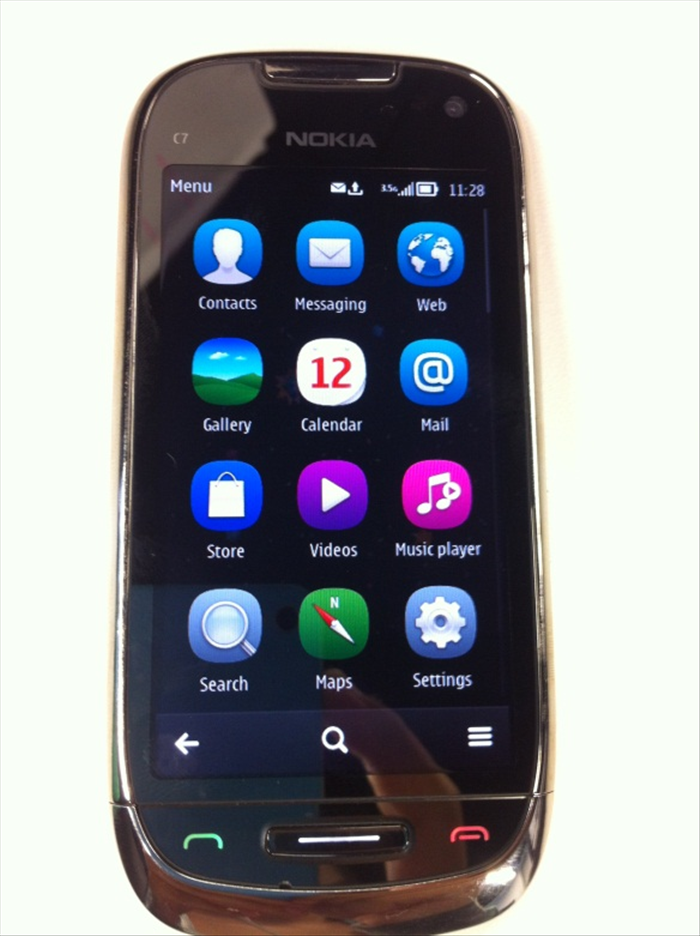 Press on the Menu bottom and then choose "Settings"
 - 2
שלב 2
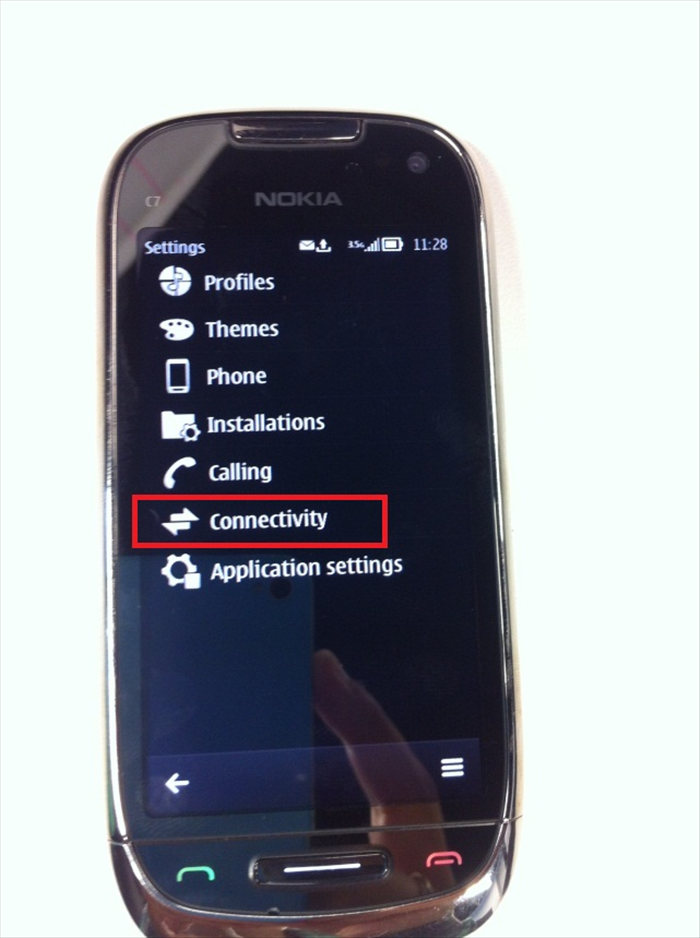 Press the "Connectivity" button.
 -
- 3
שלב 3
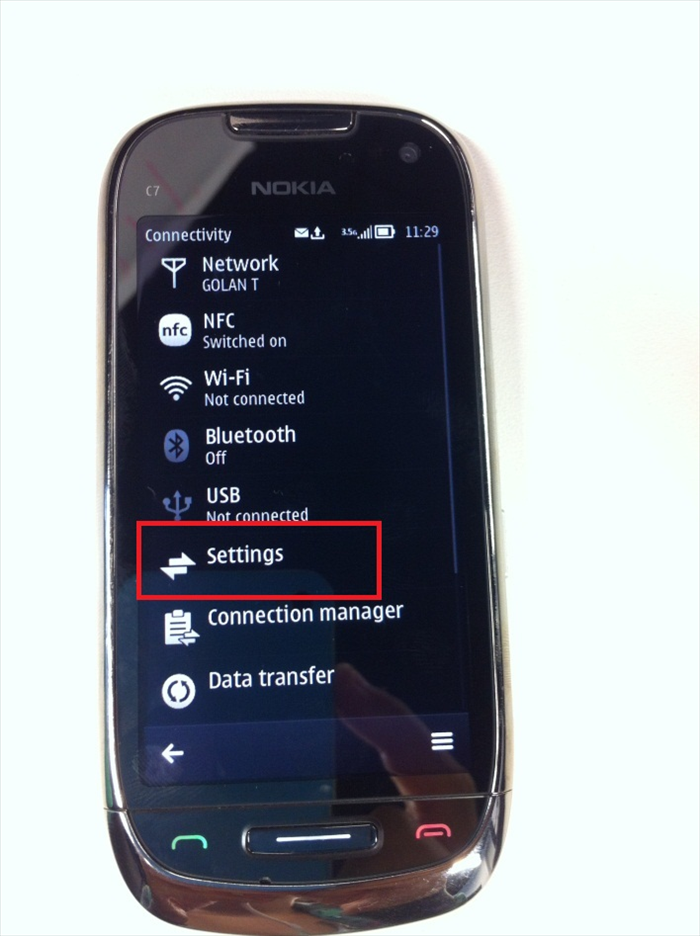 Press the "Settings" button.
 - 4
שלב 4
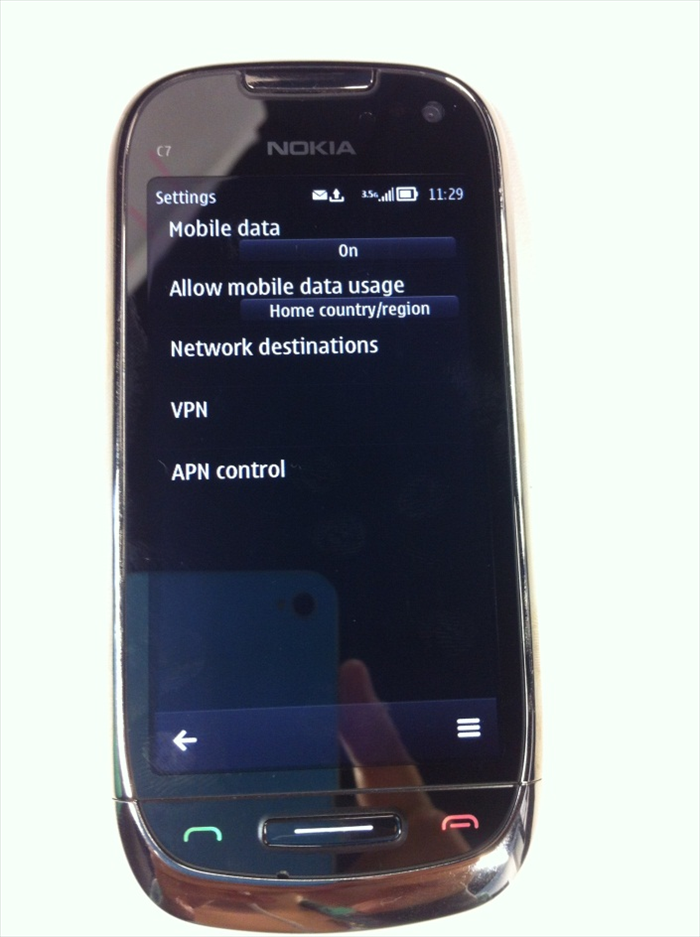 Allow mobile data usage: Home country/region And then choose: Network destinations
 - 5
שלב 5
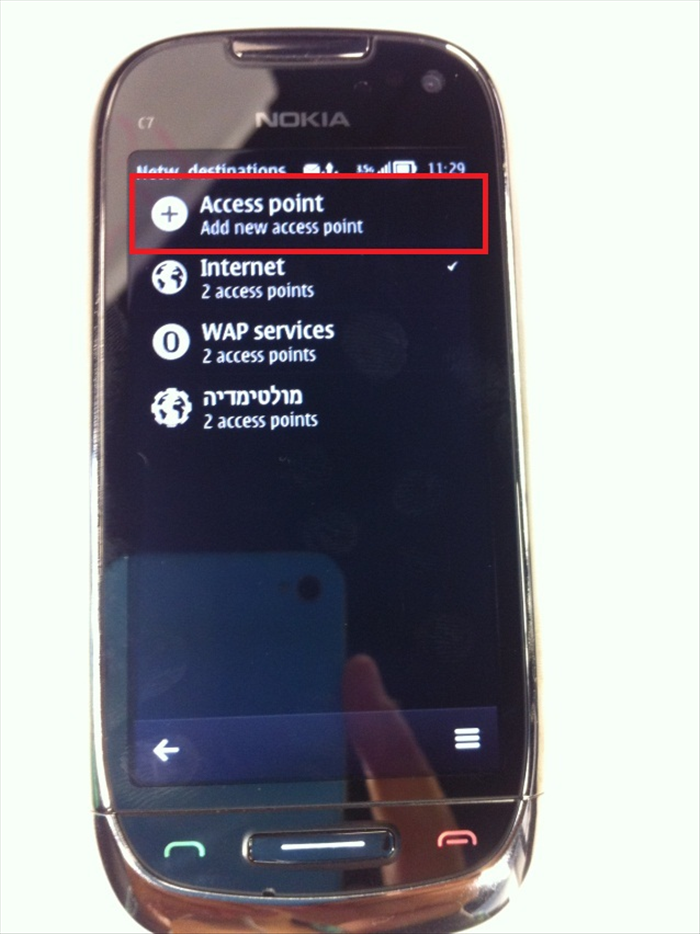 Press on "Access point, Add new access point".
 - 6
שלב 6
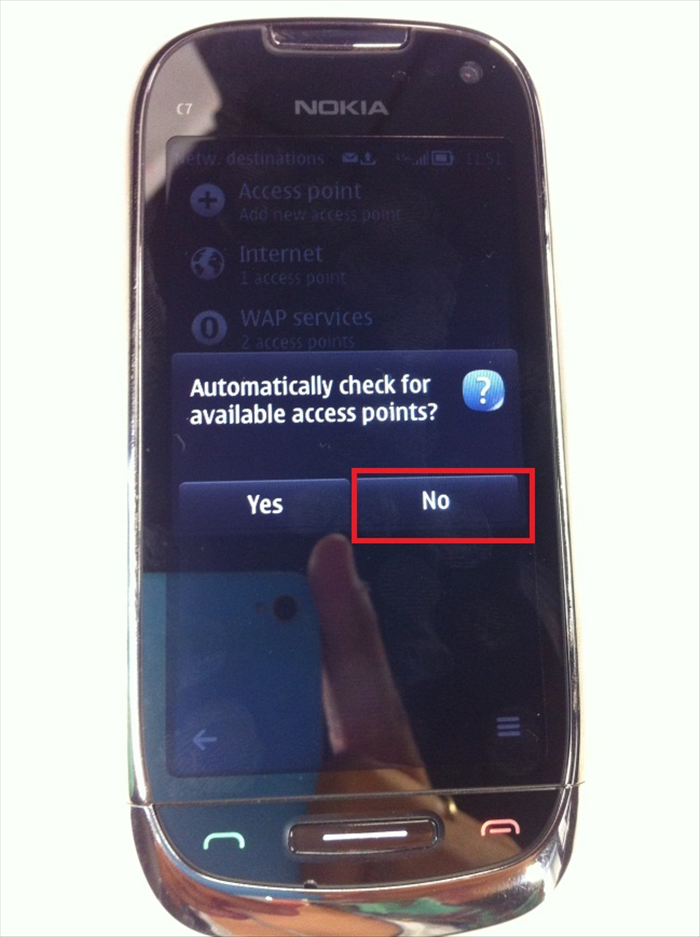 When asked in the small window that pops up – "Automatically check for available access points?" Choose "No". .
 - 7
שלב 7
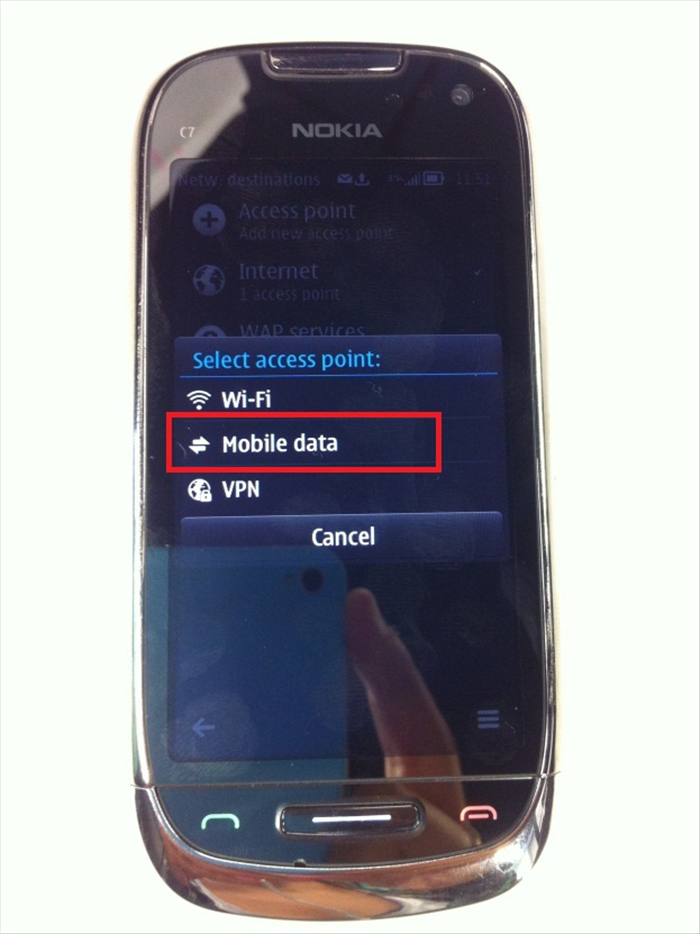 Select access point: Mobile data
 - 8
שלב 8
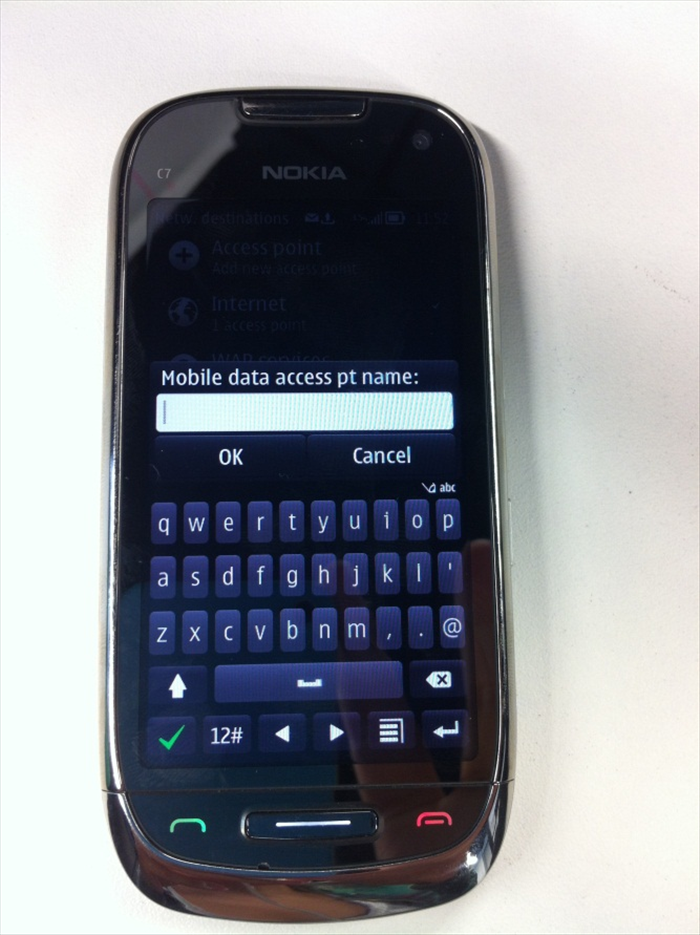 At Mobile data access pt name- type: GOLAN_DATA
 - 9
שלב 9
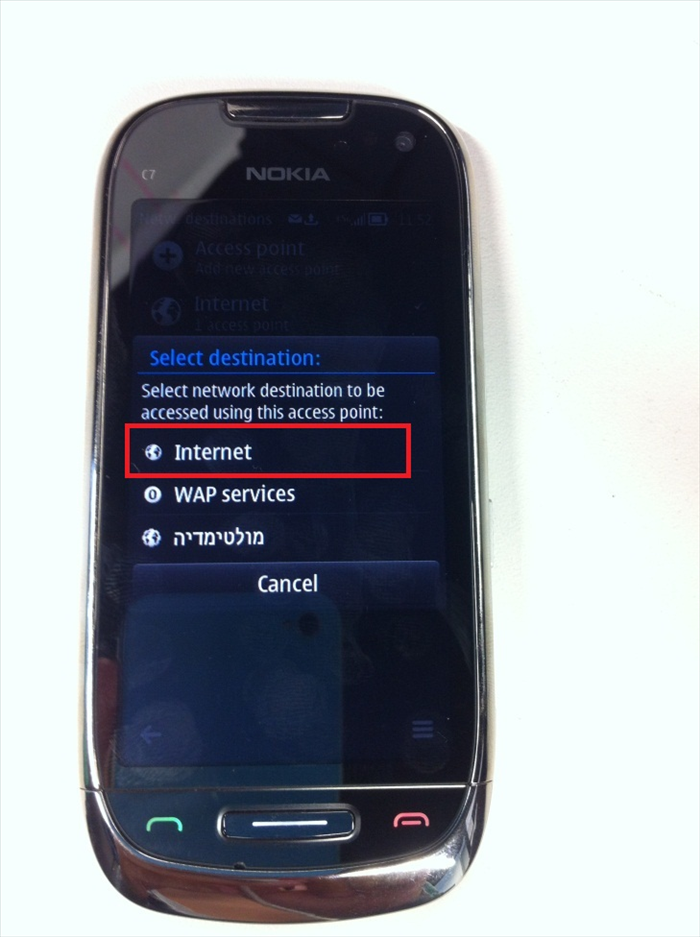 Select destination: Internet
 - 10
שלב 10
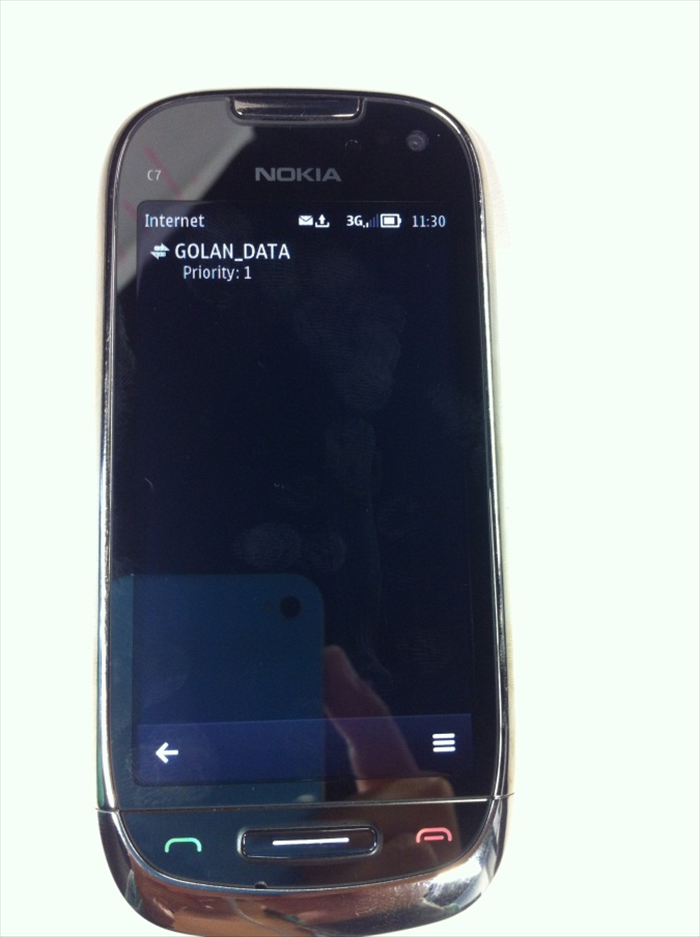 Press on "Settings" and then choose the APN that you've created: GOLAN_DATA
 - 11
שלב 11
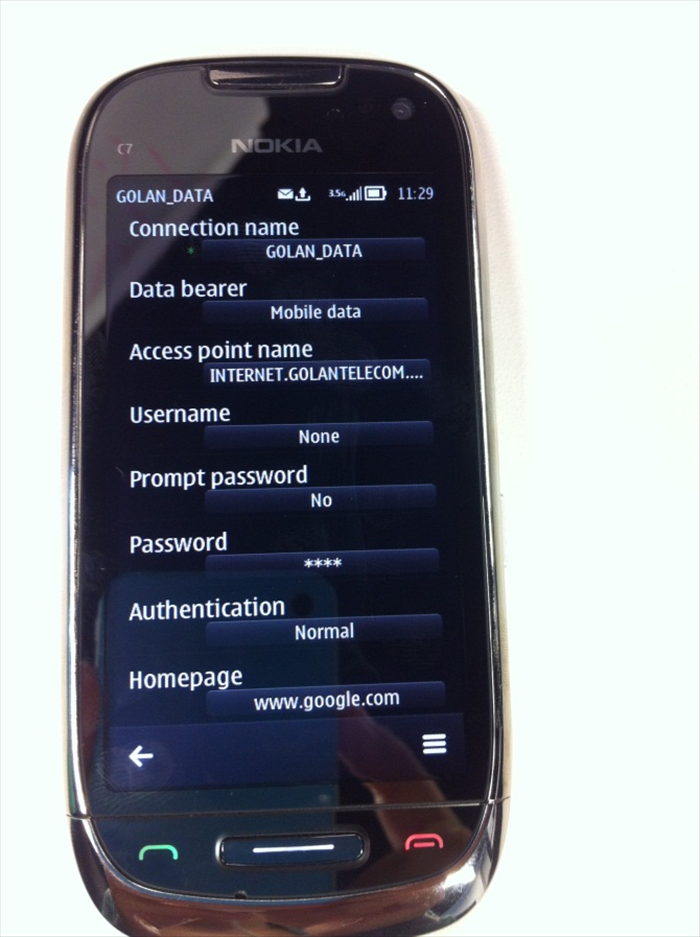 Type the following settings: Connection name: GOLAN_DATA Access point name: internet.golantelecom.net.il Username: None Prompt password: No Password: none Authentication: Normal Home page: www.google.com