How to configure Internet settings on the Galaxy Note after changing carriers to Golan Telecom
This guide will show you how to configure Internet settings on the Galaxy Note after changing carriers to Golan Telecom
קל 4 צפיות
מה תצטרך
- Note
- Golan telecom
- גולן טלקום
- גולן
- How to define internet on golan galaxy note
שלבים
- 1
שלב 1
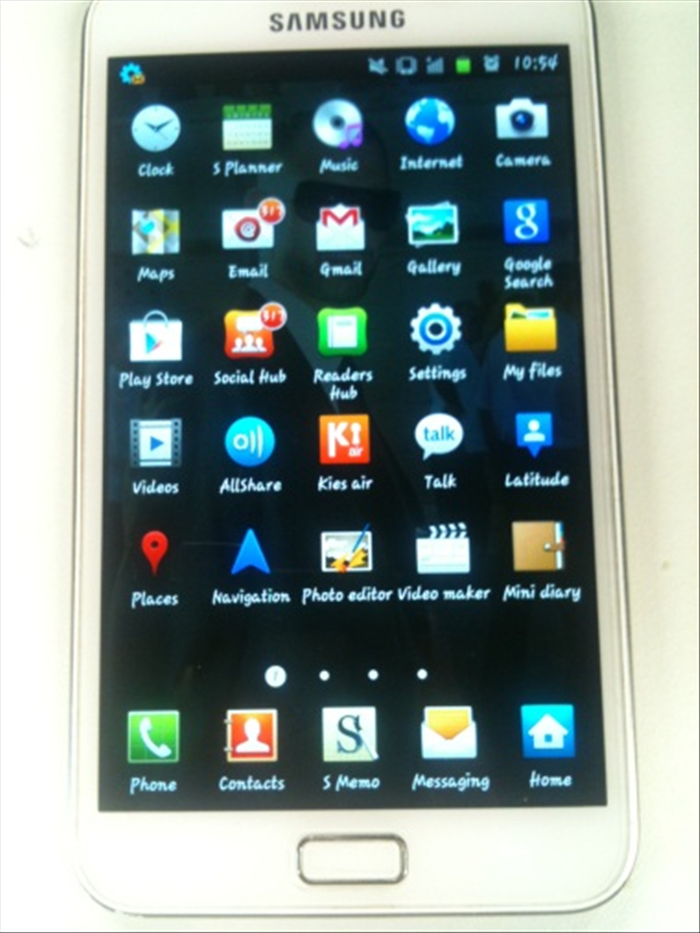 Open the menu press on "Settings".
 - 2
שלב 2
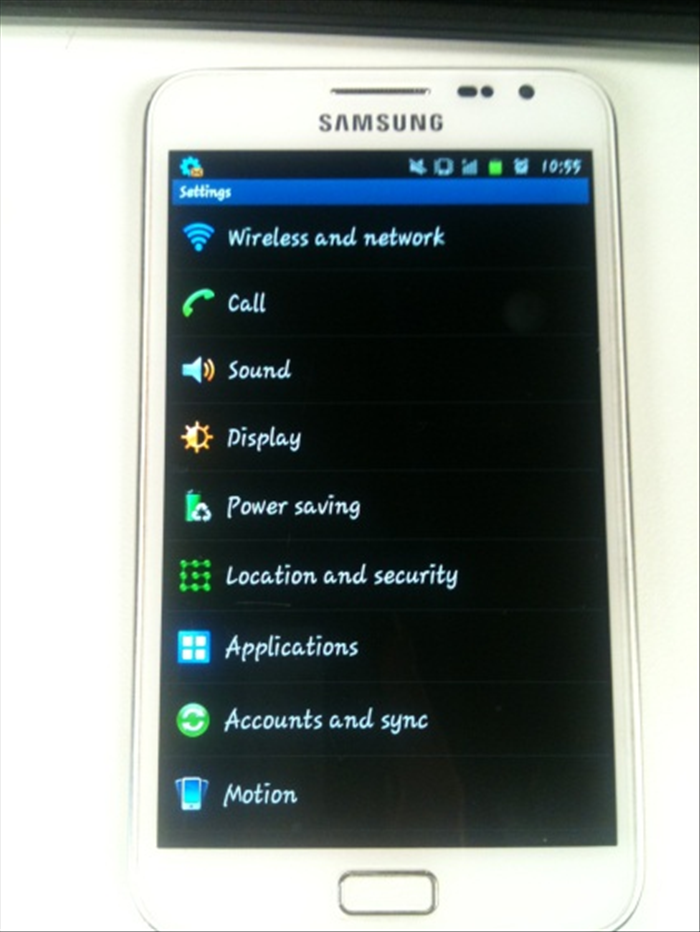 Select "wireless and networks".
 -
- 3
שלב 3
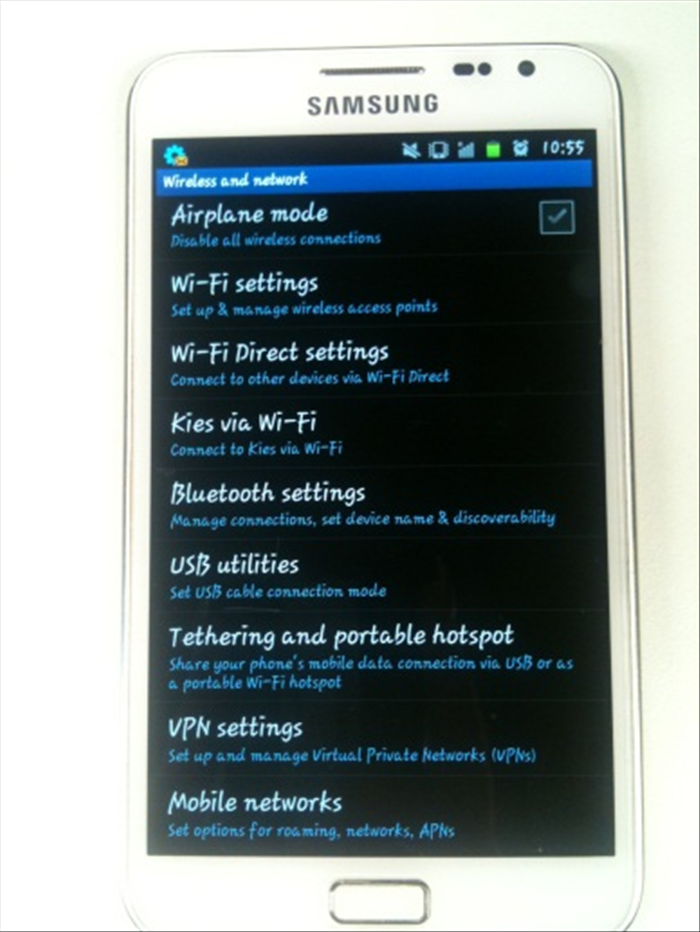 Select the "mobile networks" option
 - 4
שלב 4
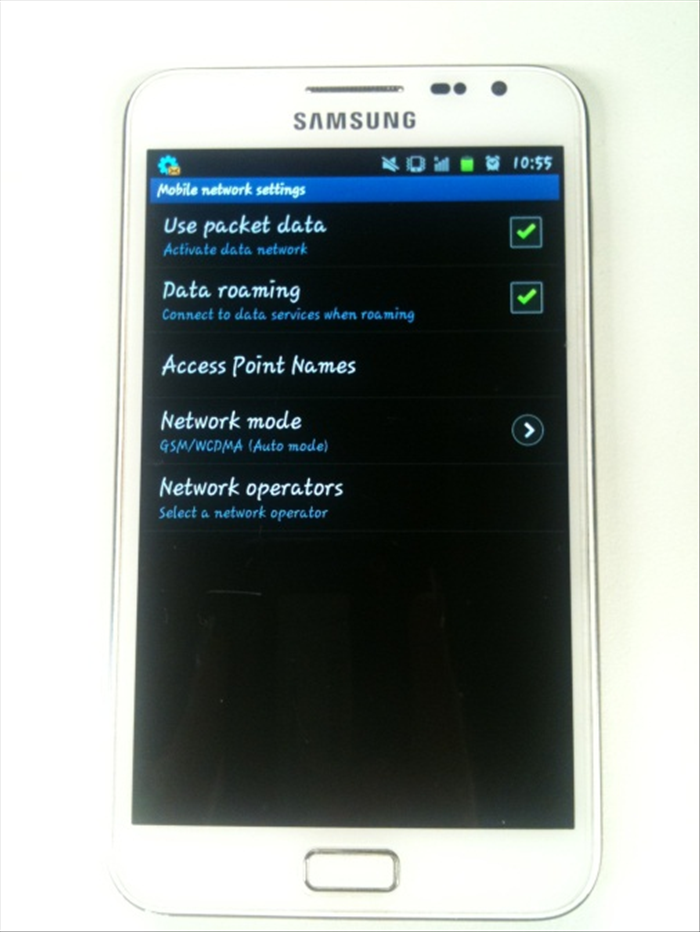 Then check the first two options: "Data roaming" and "use packet data" After that - enter "Access point names".
 - 5
שלב 5
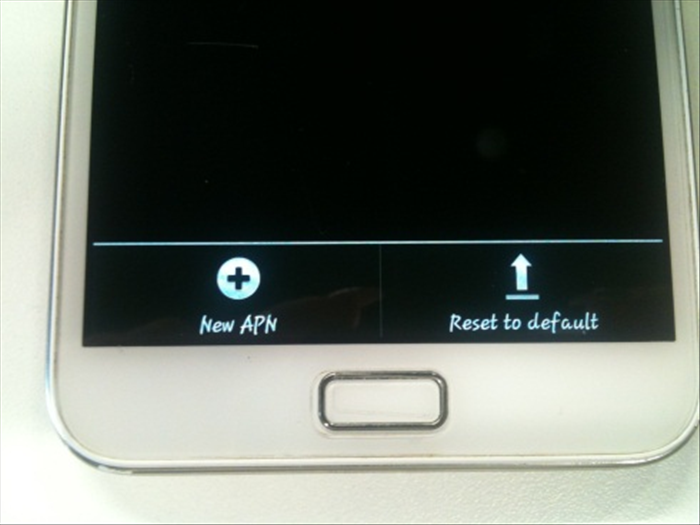 Tap the "options" button, and select "New APN".
 - 6
שלב 6
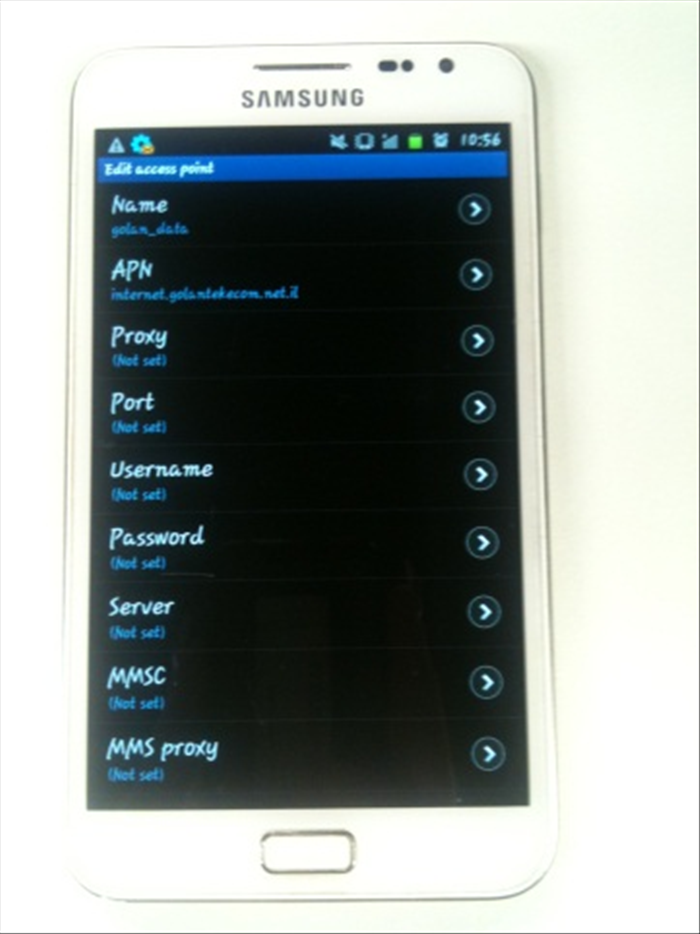 And define the following settings: Name : GOLAN DATA APN: internet.golantelecom.net.il Proxy: none Port: none Username: none Password: none Server: none Mmsc: none mms proxy: none
 - 7
שלב 7
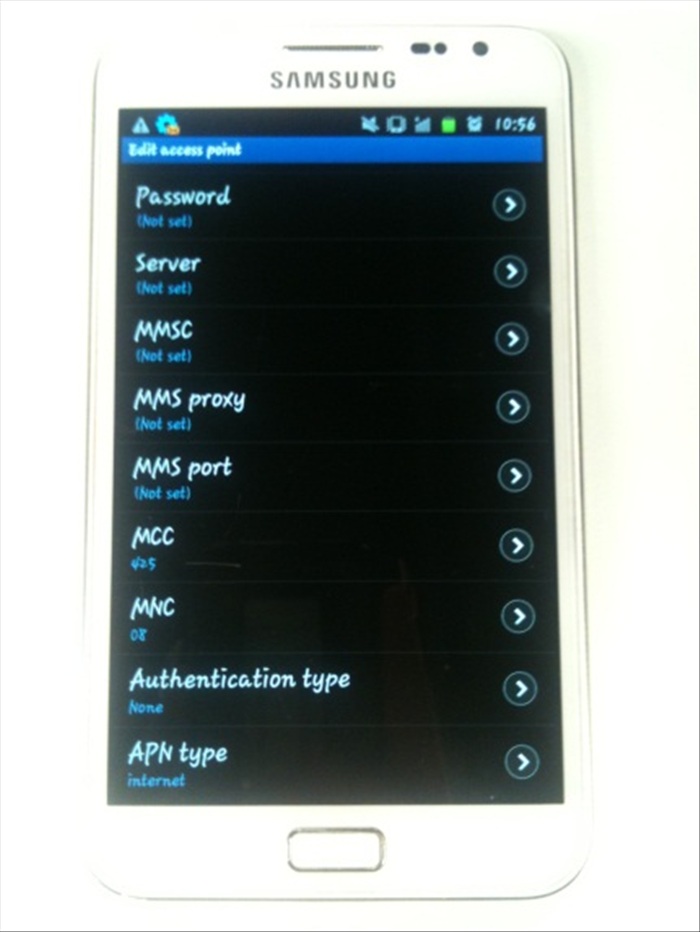 mms port: none mcc: 425 mnc: 08 Authentication Type: none APN type: internet MCC 425 MNC 08
 - 8
שלב 8
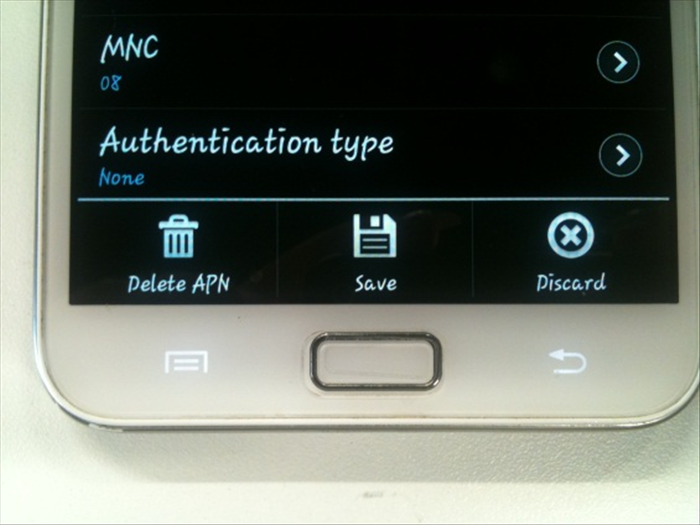 After you set all the settings click on the options button and press "Save".